AI Mac Cleaner
Xcode, Docker and npm fill your Mac with gigabytes you can't see in Finder.
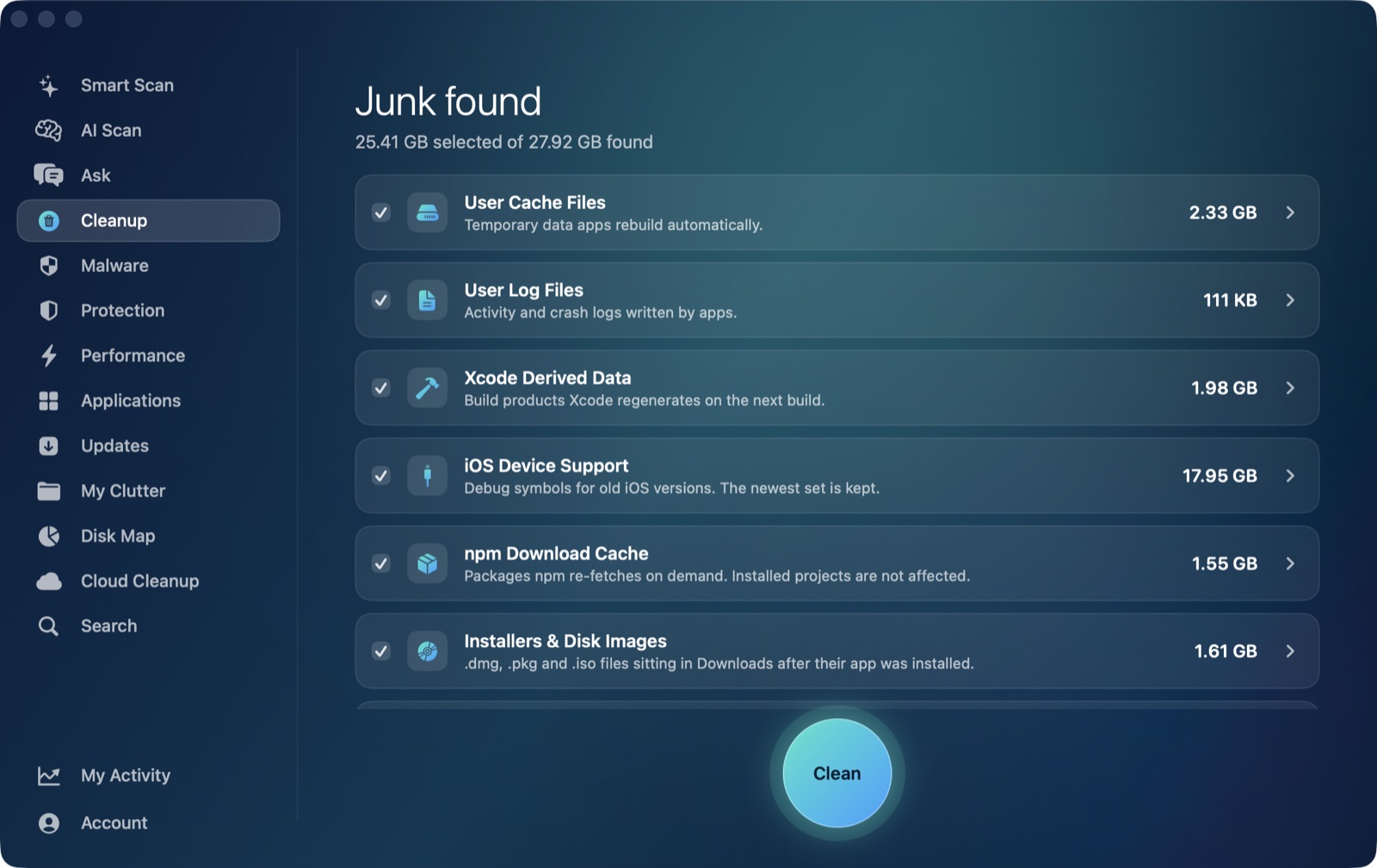
DerivedData, old Simulator runtimes, Docker's disk image and stray node_modules folders don't show up as one tidy number anywhere. AI Mac Cleaner's Cleanup module finds each of them by name, sized, and clears them to the Trash — never straight to deletion.
Requires macOS 14 or later · Apple silicon and Intel · Notarized by Apple · Version 0.1
The caches generic cleaners don't know to look for
A disk-usage tool sees these as one giant "Library" or "Developer" folder. AI Mac Cleaner's Cleanup module lists each one by name, with the size it will free.
🛠️ Xcode DerivedData
Usually the single biggest cache on a developer's Mac — build products and indexes Xcode regenerates on the next build.
📱 Old iOS Device Support
Debug symbols for every iOS version you've ever connected a device running — most of them long out of date.
📲 Simulator caches
Runtime data piling up across every iOS Simulator you've launched, even ones you no longer test against.
🐳 Docker's disk image
One file that only grows — images, stopped containers and build cache Docker Desktop never shrinks on its own.
📦 npm cache
npm's own downloaded-package cache, regenerated automatically the next time you install.
🗃️ node_modules in old projects
Easy to regenerate with a fresh install, and easy to regret deleting the wrong one by hand.
Auto-offered categories are listed and sized for you to select in Cleanup. Review-only categories (node_modules, Docker's disk image, and others like iPhone backups and virtual machines) are never pre-ticked — you see the size and decide.
Nothing is ever deleted directly
Every removal in AI Mac Cleaner — developer caches included — goes through the app's FileRemover, which moves files to the macOS Trash. The only permanent deletion is Empty Trash, and that's a step you take yourself.
FileRemoveralso refuses a hard-coded list of protected paths — your home folder, Documents, iCloud Drive — regardless of what a scan finds there.- Review-only categories like
node_modules, Docker's disk image, iPhone backups and virtual machines are shown with their size but never selected for you. - A mistake is one "Put Back" away, right up until you empty the Trash.