 AI Mac Cleaner
Docker disk image taking up space on your Mac? Here's why
Docker Desktop's single disk image can quietly grow to dozens of gigabytes on a Mac, and the usual "it's just cache" advice doesn't quite apply. Here's what's actually in there and how to shrink it safely.
Open Docker Desktop's settings on a Mac that's been running containers for a while and the "Disk image size" figure under Resources is often the single biggest number on the whole drive — 40, 60, sometimes 100+ GB. Unlike Xcode DerivedData or a browser cache, it isn't obvious why deleting it would be any riskier than clearing npm's cache. It is riskier, though, and the reason comes down to how Docker on macOS actually stores things.
Why Docker's disk image gets so big
Docker doesn't run containers natively on macOS the way it does on Linux — there's no Linux kernel to host them. Docker Desktop solves that by running a lightweight Linux VM, and everything the VM sees — every image layer you've pulled, every container's writable filesystem, every named volume — lives inside one big virtual disk file, usually Docker.raw or Docker.qcow2 under ~/Library/Containers/com.docker.docker/Data/vms/0/.
That single file is the sum of three different things stacking up over time: cached image layers from every docker pull and docker build you've ever run (including ones for projects you no longer touch), stopped containers that were never removed, and named volumes that outlive the containers that created them. Docker doesn't automatically shrink the disk image when you delete things inside it, either — on macOS the virtual disk tends to only grow, so usage climbs even as the actual content inside turns over.
What's safe to clear, and what isn't
This is the real difference from a pure cache like DerivedData or npm's cache: the Docker disk image holds build cache and old layers that regenerate on the next pull or build, but it can also hold named volumes with real data — a Postgres container's database, a Redis dump, anything a project deliberately persists outside its container's lifecycle. Clearing the wrong thing there isn't a few wasted minutes re-downloading; it can be data you don't have anywhere else.
The safe part is everything Docker itself calls "reclaimable" — run docker system df and it breaks down exactly how much of the disk image is unused image layers, stopped containers and dangling build cache versus volumes still attached to something. docker image prune, docker container prune and docker builder prune target only the first category. Named volumes need a deliberate look at docker volume ls before anything gets removed, specifically because they're the one part of that disk image that isn't just regenerable cache.
Why the disk image itself doesn't shrink
Even after pruning the contents, the macOS disk image file frequently stays the same size on disk — Docker reclaims the space internally for new layers but doesn't return it to the filesystem automatically. The only way to actually get the gigabytes back from macOS's perspective is Docker Desktop's own "Clean / Purge data" option in Troubleshoot, which rebuilds the disk image from scratch, or deleting the VM and letting Docker recreate it — both of which remove everything, pruned or not, so they're a last resort after you've confirmed nothing you need is sitting in a volume.
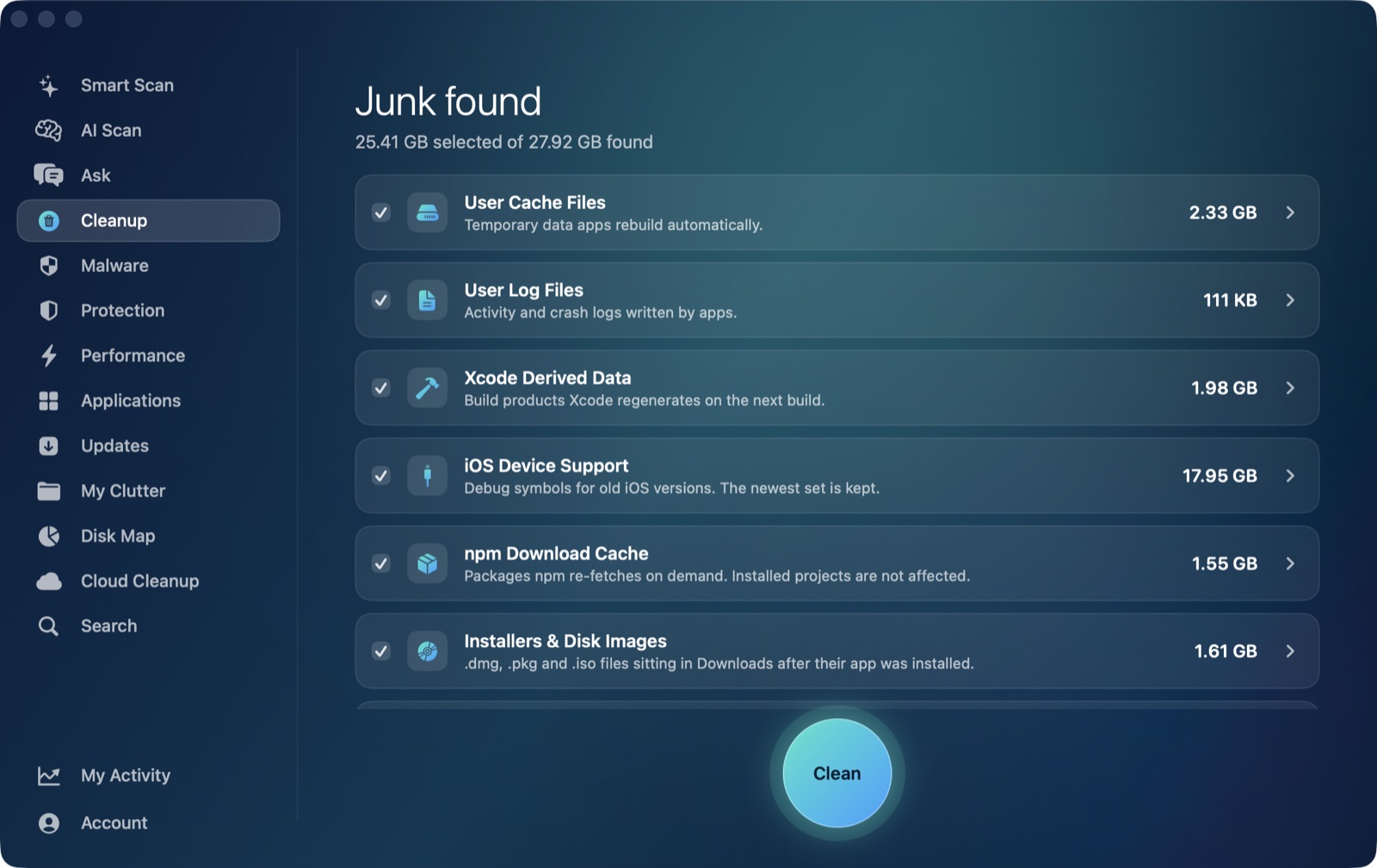
AI Mac Cleaner's Cleanup module lists Docker disk image in its review-only section, alongside virtual machines and node_modules — categories that are never auto-cleaned or pre-selected, unlike the regenerable developer caches it offers automatically such as Xcode DerivedData and npm cache. That's a deliberate distinction: Docker's disk image can hold real volume data, so the app surfaces its size and lets you decide rather than ticking it for you. Any removal still goes through FileRemover, which moves files to the Trash rather than deleting them outright, so even a reviewed removal stays recoverable until the Trash is emptied.
If you want a single view of what's actually eating space across your whole Mac — Docker included — before deciding what to prune by hand, AI Mac Cleaner has a 7-day free trial with every feature unlocked, no card required, and plans from $6.99/mo after that. Download it for macOS and see what's really in that disk image.