AI Mac Cleaner
AI Mac Cleaner: A MacKeeper Alternative, Honestly Compared
Looking for a MacKeeper alternative? Here's a factual look at AI Mac Cleaner vs MacKeeper — what each actually includes, how removal works, and real pricing.
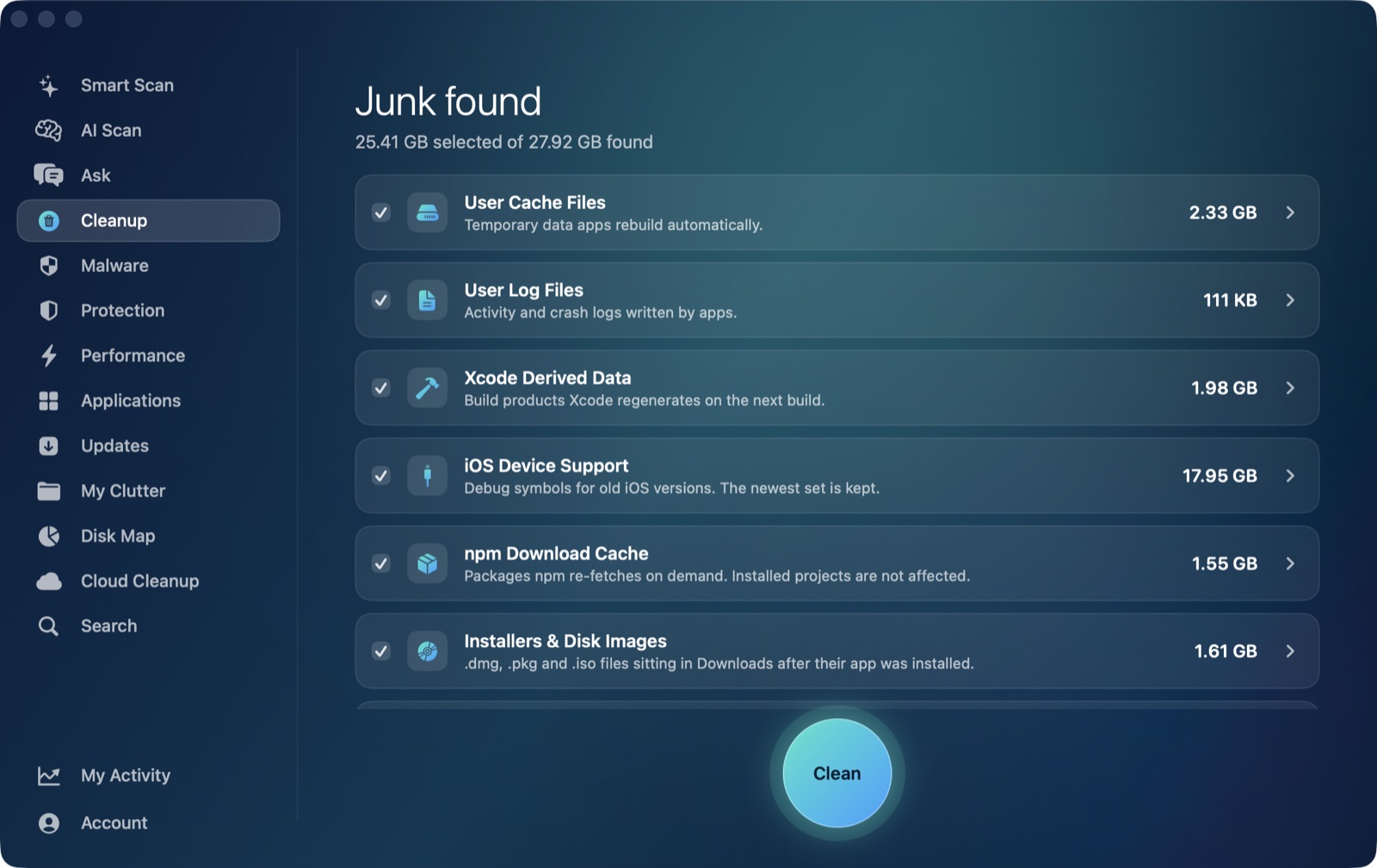
If you're searching for a MacKeeper alternative, you've probably noticed the two apps aren't quite selling the same thing: MacKeeper bundles a cleaner into a wider security suite, while AI Mac Cleaner is built as a focused, developer-friendly cleaner first. Here's an honest, feature-by-feature comparison of AI Mac Cleaner vs MacKeeper to help you figure out which one actually matches what you're trying to fix.
Quick answer: if what you want is a cleaner that shows you exactly what it found before touching anything, goes deep on developer caches, and explains itself with on-device AI, AI Mac Cleaner is built around that one job. If you also want a bundled VPN, antivirus and identity-breach monitoring alongside basic cleanup, MacKeeper is selling a broader security suite that happens to include a cleaner. Here's the detail behind that.
What's actually in each app
MacKeeper is organized around four areas: security (real-time antivirus, an Adware Cleaner), privacy (a built-in VPN, an ad/tracker blocker called StopAd, and an ID Theft Guard that monitors your email for data-breach exposure), cleaning (Safe Cleanup for junk files, a Duplicates Finder, a Smart Uninstaller), and performance (a Memory Cleaner, Login Items manager, Update Tracker).
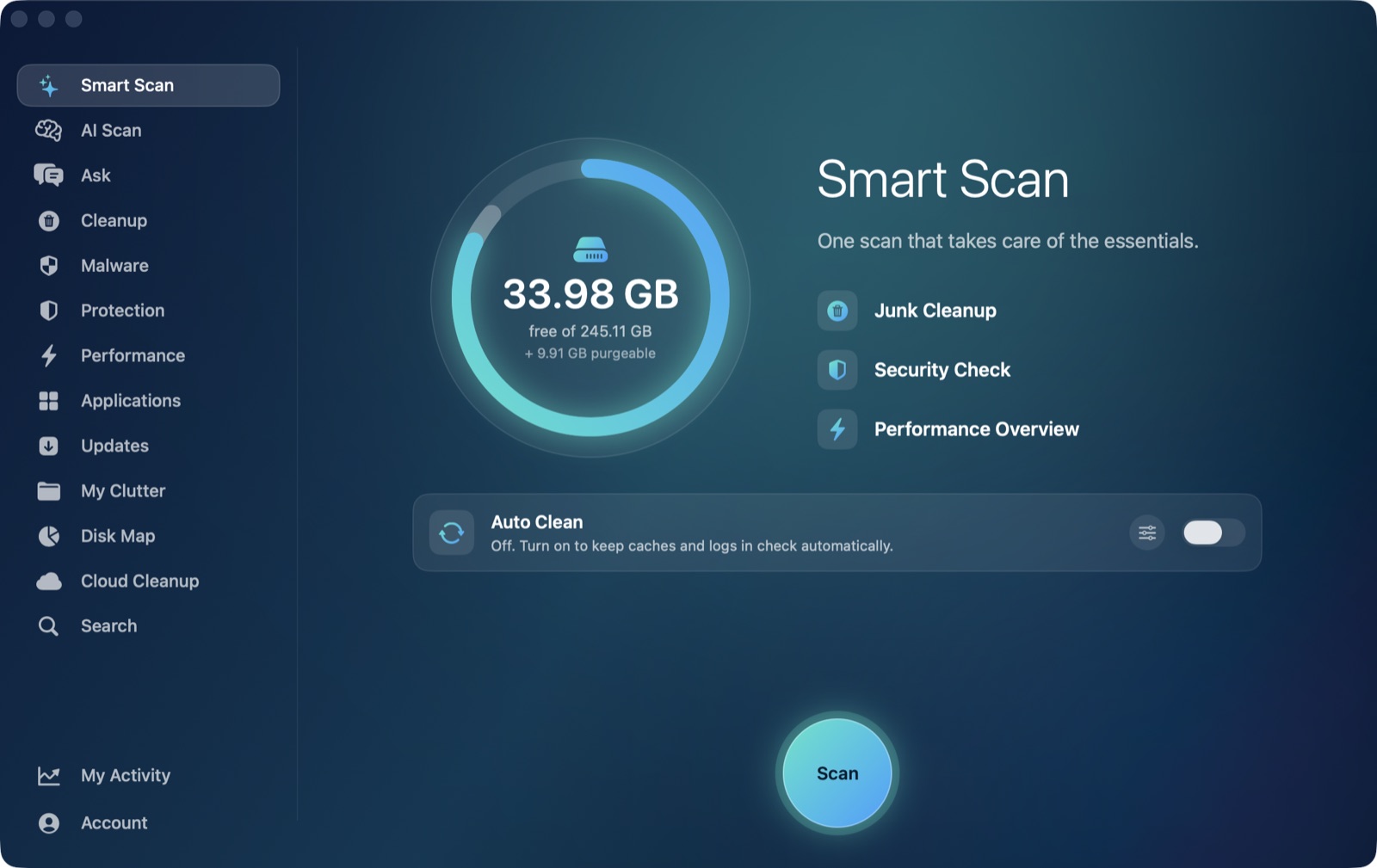
AI Mac Cleaner doesn't try to be a security suite. It's one job, done in depth: a Cleanup module with 13 categories (user caches, logs, Xcode DerivedData, old iOS Device Support, Simulator caches, npm cache, installers and disk images, plus review-only categories that are never pre-ticked: archives in Downloads, node_modules in projects, iPhone backups, Docker disk images, virtual machines, and leftovers of apps you've already deleted), an uninstaller that also finds ~/Library leftovers, a duplicate finder (exact matches by SHA-256), live performance stats (CPU/RAM/disk/battery and heaviest apps), and a malware indicator scan. There's no VPN, no identity-breach monitoring and no always-on antivirus — if those are what you're after, that's a real gap, not a hidden one.
The core difference: what happens before something gets deleted
Every removal in AI Mac Cleaner goes through one function (FileRemover) with a hard-coded protected-path list, and everything goes to the Trash first — nothing is deleted outright, and the risky categories listed above stay unticked until you look at them yourself. We couldn't find a public, detailed description of MacKeeper's own review-before-delete flow from its own site, so we're not going to guess at how it handles that step — check it yourself before trusting any cleaner with files like node_modules or a Docker disk image.
Built for developers
If you write code on your Mac, most of your reclaimable space isn't junk files or duplicates — it's Xcode DerivedData, old iOS Device Support files, Simulator caches, npm cache, and the installers/disk images left behind after setup. AI Mac Cleaner's Cleanup module auto-offers all of those by name, alongside the review-only node_modules and Docker categories above. MacKeeper's cleaning tools (Safe Cleanup, Duplicates Finder, Smart Uninstaller) are built for general junk, not for naming developer-specific caches the way a tool aimed at engineers needs to.
On-device AI, not a bundled subscription extra
AI Mac Cleaner's AI Scan uses Apple's on-device FoundationModels to explain what it found and why, in plain language — nothing leaves your Mac, and there's no separate AI fee on top of your plan. Rules decide what's safe to offer; the model only writes the explanation, and when Apple Intelligence isn't available it falls back to a rule-based summary that's labelled as such, never passed off as AI.
Pricing, head to head
AI Mac Cleaner, one Mac: $6.99/month, $49.99/year, or $199 as a one-time lifetime purchase, straight from our own checkout. There's a 7-day free trial with every feature unlocked and no card required; after the trial, scanning stays free forever with cleaning capped at 500MB total unless you're on a paid plan.
Pricing trackers and marketplace listings report a $14.95/month starting price for a flexible monthly term, with annual rates of roughly $3.78/month ($45.36/year) for one Mac billed yearly, and around $4.15/month (about $49.80/year) for a bundle covering three Macs plus one extra licence. None of those figures come from a live, rendered checkout, and MacKeeper runs introductory offers that can change what you actually pay in the first term versus renewal — check its current pricing page before comparing exactly. Unlike AI Mac Cleaner's one flat feature set, MacKeeper's price also buys you the VPN, antivirus and ID Theft Guard bundle described above, not a cleaner alone.
Which one fits you
If you specifically want a deep, developer-aware Mac cleaner with a visible, reviewable removal flow and free on-device AI explanations, and you don't need a bundled VPN or identity monitoring, AI Mac Cleaner is built around exactly that. If you want one subscription that also covers antivirus, a VPN and breach monitoring and you're fine with a more general cleaning layer, MacKeeper's suite covers more ground outside of cleaning. They're solving overlapping but different problems, so the honest answer is to pick based on what you actually need beyond "clean up my Mac."
Try it yourself
The fastest way to see the difference is to run the free scan and read what it finds — no account, no card, nothing leaves your Mac. Start your free 7-day trial or see the full feature list.
Frequently asked questions
Is AI Mac Cleaner cheaper than MacKeeper?
It depends on the term. MacKeeper's reported annual rate (~$45.36/year for one Mac) is below AI Mac Cleaner's $49.99/year, but MacKeeper's price also includes a VPN, antivirus and identity-breach monitoring that AI Mac Cleaner doesn't offer — the two aren't pricing the same bundle of features, so a straight dollar comparison undersells what either side includes.
Is MacKeeper safe to use?
We can't verify MacKeeper's internal safety mechanisms from the outside, so we won't make a claim either way — that's a question to research directly from MacKeeper's own documentation and independent reviews before installing anything with system-level access. What we can say about our own app: every removal goes through the Trash first via a single, protected-path-checked function, and risky categories are never pre-selected.
What's the biggest difference between AI Mac Cleaner and MacKeeper?
Scope. AI Mac Cleaner is a focused cleaner that goes deep on developer-specific caches and explains findings with free on-device AI. MacKeeper is a broader security suite — VPN, antivirus, ID Theft Guard — with general cleaning tools included, not developer-specific ones.
Does AI Mac Cleaner include a VPN or identity monitoring like MacKeeper?
No. AI Mac Cleaner is a cleaning and performance tool, not a security suite. It doesn't include a VPN, standalone antivirus or breach monitoring.
Can I try AI Mac Cleaner before paying?
Yes — a 7-day free trial unlocks every feature, no card required. After the trial, scanning stays free forever with cleaning capped at 500MB total.