AI Mac Cleaner
AI Mac Cleaner: A CleanMyMac Alternative, Honestly Compared
Looking for a CleanMyMac alternative? Here's a factual, feature-by-feature comparison of AI Mac Cleaner vs CleanMyMac covering safety, developer tools and pricing.
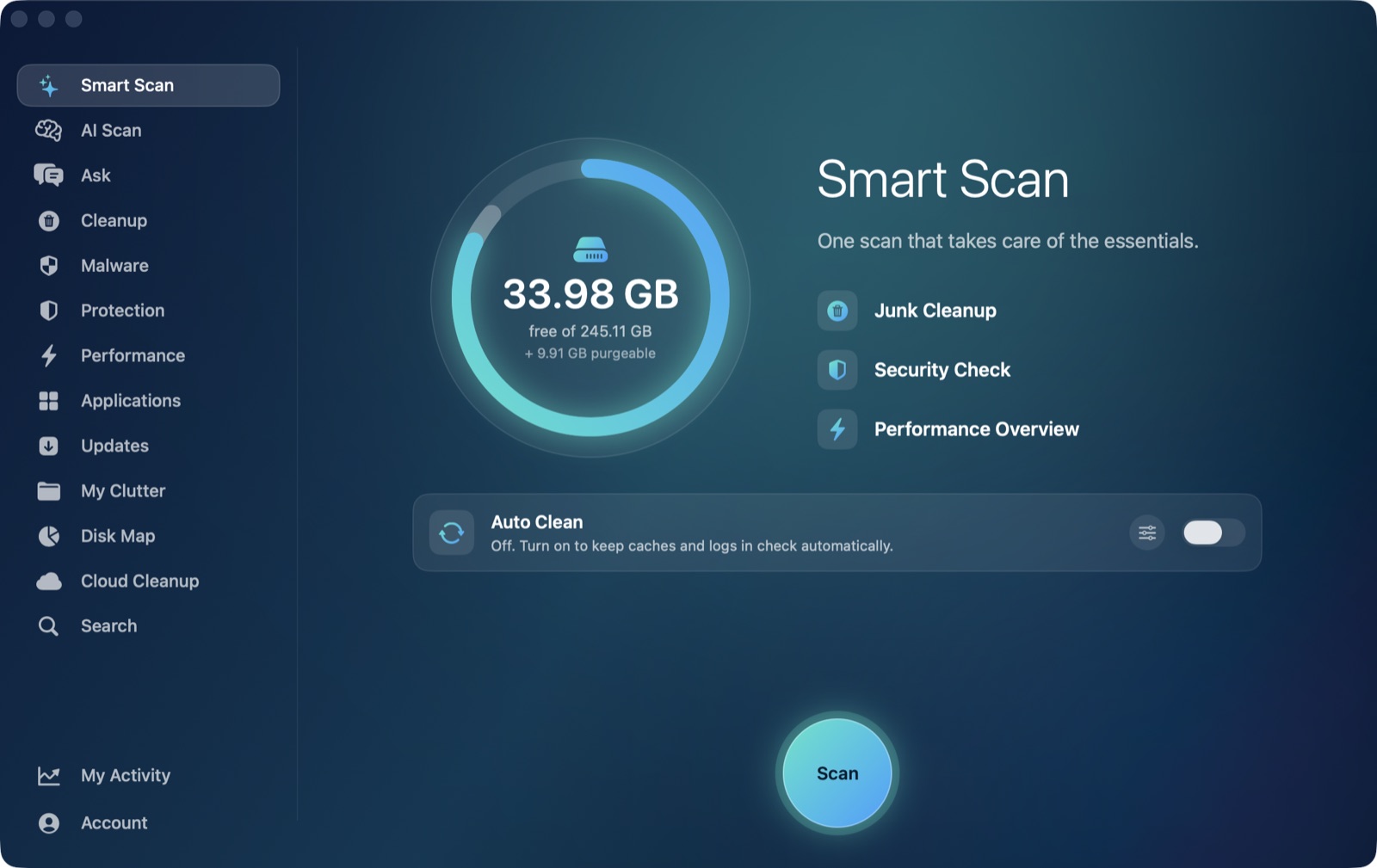
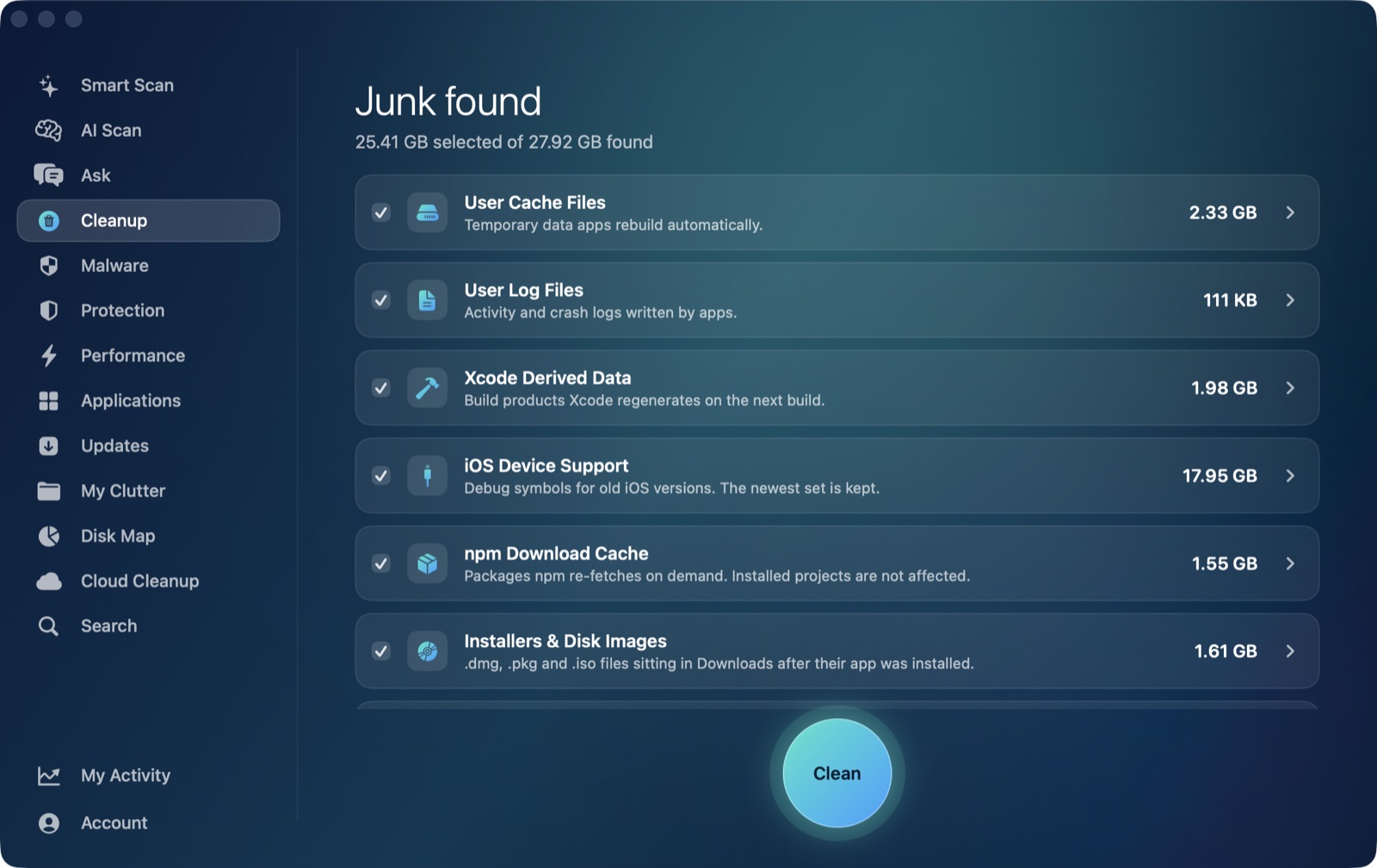
If you're searching for a CleanMyMac alternative, you're probably looking for one of two things: a cleaner that shows you exactly what it's about to remove before anything happens, or one built with developers in mind rather than as an afterthought. Here's an honest, feature-by-feature comparison of AI Mac Cleaner vs CleanMyMac to help you decide which fits in 2026.
Quick answer: if you want a cleaner that lists what it found before touching anything, keeps anything risky unticked until you say so, and explains its findings with on-device AI instead of sending data off your Mac, AI Mac Cleaner is built around that. If you want the most established name with the widest ecosystem (Setapp, App Store, MacPaw Store editions), that's CleanMyMac. Here's the detail behind that.
The core difference: what happens before something gets deleted
AI Mac Cleaner's removal path goes through one function (FileRemover) with a protected-path list, and everything goes to the Trash first — nothing is deleted outright. A set of categories is review-only by design and never pre-ticked, so you have to look at them before anything happens:
- Archives sitting in Downloads
node_modulesfolders inside your projects- iPhone backups
- Docker disk images
- Virtual machine files
- Leftovers of apps you've already deleted
We couldn't confirm from CleanMyMac's own site how its review-before-delete flow works in detail, so we're not going to guess — check that for yourself before trusting any cleaner with these folders.
Built for developers
If you're a developer, most of your reclaimable space isn't in the Downloads folder — it's in Xcode DerivedData, old iOS Device Support files, Simulator caches, npm cache, installers and disk images. AI Mac Cleaner's Cleanup module auto-offers all of those specifically, alongside the review-only node_modules and Docker categories above. That's the single biggest reason this app exists: general-purpose Mac cleaners don't speak developer.
On-device AI, not a black box
AI Mac Cleaner's AI Scan uses Apple's on-device FoundationModels to explain, in plain language, what it found and why — nothing leaves your Mac, and it's free with no extra AI subscription tier. Rules decide what's safe to offer, not the model; the AI only writes the explanation. If Apple Intelligence isn't available on your Mac, it falls back to a rule-based summary that's labelled as such, never passed off as AI.
Pricing, head to head
AI Mac Cleaner, one Mac: $6.99/month, $49.99/year, or $199 as a one-time lifetime purchase. There's a 7-day free trial with every feature unlocked and no card required; after that, scanning stays free forever with cleaning capped at 500MB total unless you're on a paid plan. One app, one feature set — pricing comes straight from our own checkout.
CleanMyMac's own site (macpaw.com) lists its regular, non-promotional prices for one Mac as roughly $39.95/year or from $119.95 for a one-time purchase, with monthly plans advertised from about $3.33/month when billed yearly. Unlike AI Mac Cleaner, CleanMyMac splits its features into separate Basic and Plus tiers, and it's sold through three different editions — MacPaw Store, Setapp and the App Store — that don't all carry the same features. MacPaw runs promotional discounts from time to time, so check their current page before comparing exactly; the figures above are their listed regular prices, not a time-limited offer.
Editions that don't match each other
One thing worth knowing before you buy any Mac cleaner: CleanMyMac's App Store edition is more limited than its direct-download edition because of Apple's review rules, and Setapp's version can differ again. AI Mac Cleaner is one app with one feature set for the direct-download edition; a smaller, review-limited Lite edition for the App Store is planned separately and not out yet.
Try it yourself
The fastest way to see the difference is to run the free scan and read what it finds — no account, no card, nothing leaves your Mac. Start your free 7-day trial or see the full feature list.
Frequently asked questions
Is AI Mac Cleaner cheaper than CleanMyMac?
It depends on the plan and whether CleanMyMac is running a promotion. At regular, non-promotional prices, AI Mac Cleaner's $49.99/year is close to CleanMyMac's listed $39.95/year for one Mac, while CleanMyMac often discounts its first year further. AI Mac Cleaner's pricing is the same all year, one app, one feature set, with no edition-to-edition differences.
What's the biggest difference between AI Mac Cleaner and CleanMyMac?
Two things: AI Mac Cleaner never pre-selects risky categories like Docker disk images, virtual machines or node_modules for removal, and it auto-offers developer-specific caches (Xcode DerivedData, Simulator caches, npm cache) that general-purpose cleaners typically don't single out.
Does AI Mac Cleaner send any data to the cloud like some AI cleaning tools?
No. AI Scan's explanations run on Apple's on-device FoundationModels — nothing leaves your Mac, and there's no separate AI subscription fee.
Is there an AI Mac Cleaner App Store edition like CleanMyMac has?
Not yet. A smaller, review-limited Lite edition for the App Store is planned, but today AI Mac Cleaner is available as a direct download for macOS.
Can I try AI Mac Cleaner before paying, like with CleanMyMac?
Yes — a 7-day free trial unlocks every feature, no card required. After the trial, scanning stays free forever with cleaning capped at 500MB total.