AI Mac Cleaner
Editing suites fill your Mac fast — but not all of that junk lives where a cleaner can safely reach it.
Final Cut Pro, Premiere Pro and DaVinci Resolve are some of the heaviest installs on macOS, and they leave real junk behind outside your project files: installer disk images still sitting in Downloads, old iPhone/iPad camera-roll backups, and leftovers from trial versions you uninstalled months ago. AI Mac Cleaner's Cleanup module finds each of those by name, sized, and clears them to the Trash — never straight to deletion. It does not reach into Final Cut, Premiere or Resolve's own render and media caches, and we'd rather tell you that up front than let you assume otherwise. Details below.
Requires macOS 14 or later · Apple silicon and Intel · Notarized by Apple · Version 0.1
What AI Mac Cleaner genuinely clears for a video editor's Mac
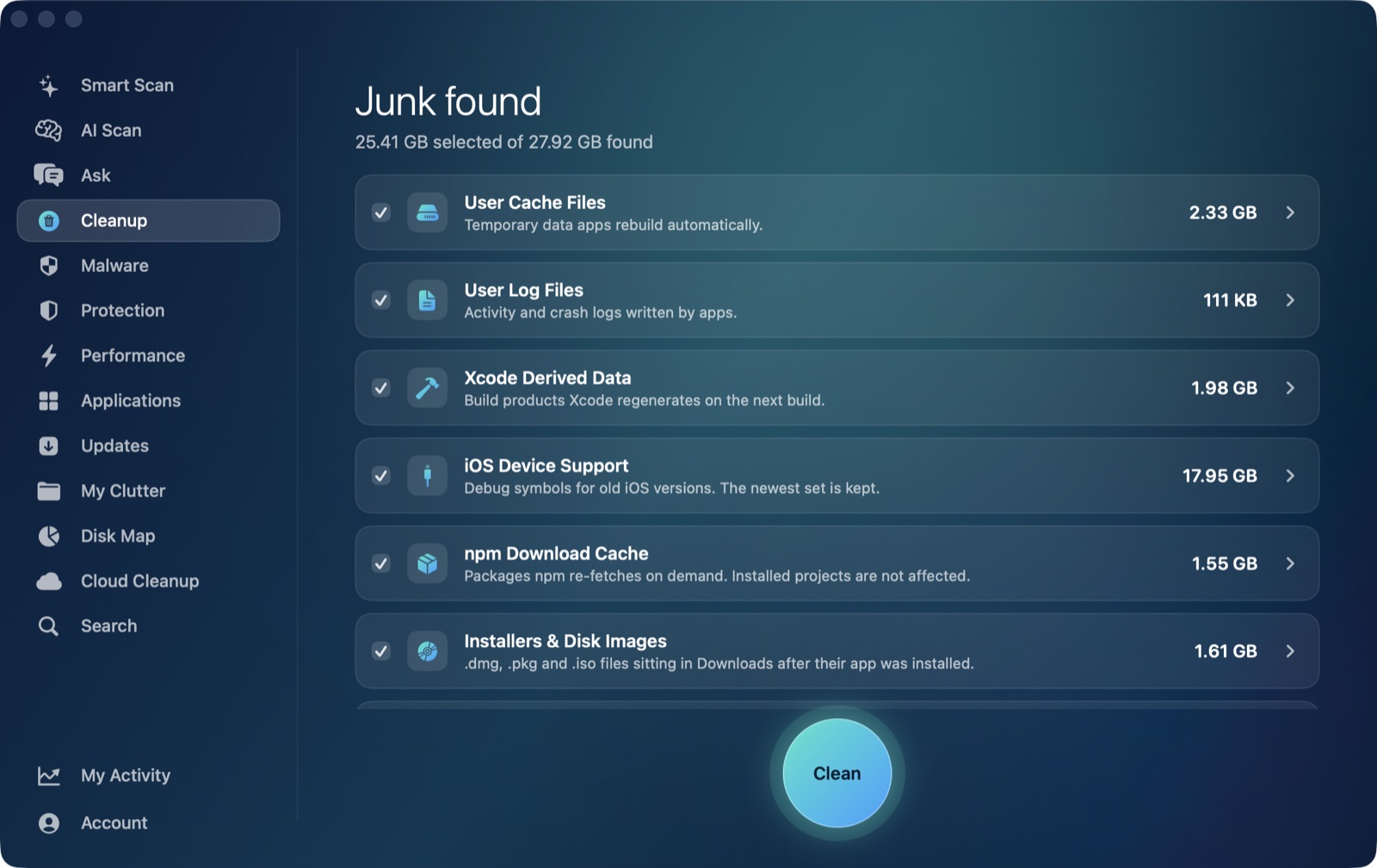
These are the categories a video editor actually runs into, all scanned and listed with their size before anything moves.
💿 Installer disk images in Downloads
Adobe Creative Cloud, DaVinci Resolve and plugin installer .dmg/.pkg files that already did their job and are just sitting in Downloads.
📼 Old iPhone & iPad backups
Finder backups of the phone you shot b-roll on, piling up in one hidden folder. The newest backup per device is always kept.
🗑️ Leftovers of trial software you uninstalled
Tried a competing NLE or a plugin bundle and dragged it to the Trash? The support files, caches and containers it left behind are found and listed, even though the app itself is long gone.
🔍 Forgotten exports and render output
A treemap of your drive so the 40GB export from three projects ago is easy to spot and deal with yourself — this is a finder, not an auto-cleaner, for your actual project media.
🧬 Duplicate exports and proxy copies
Matches by content hash, not just filename, so a renamed duplicate export or proxy file doesn't slip past.
🗂️ General app caches & logs
The direct contents of ~/Library/Caches and ~/Library/Logs — whatever your editing apps, browser and utilities have put there, swept the same way for every app.
Auto-offered categories are listed and sized for you to select in Cleanup. Review-only categories (iPhone backups, leftovers of deleted apps, and others like Docker's disk image and virtual machines for anyone running a render node) are never pre-ticked — you see the size and decide.
What AI Mac Cleaner does not reach — and why
We looked this up rather than assume it, because a cleaner that claims coverage it doesn't have is worse than useless for anyone editing real footage. Here's where each app actually keeps its heavy files on macOS.
- Final Cut Pro keeps its render files, thumbnails and waveforms either inside the library's own bundle or at a location you set per-library under Library Properties → Cache. Either way, that's your project data, living next to your project — not a disposable cache folder a general cleaner should ever touch.
- Adobe Premiere Pro writes its Media Cache Files and Media Cache Database to
~/Library/Application Support/Adobe/Common. That's a sibling of~/Library/Caches, not inside it, so AI Mac Cleaner's general cache sweep — which only looks at the direct contents of~/Library/Caches— never sees it. - DaVinci Resolve has no fixed cache path at all: its disk cache and gallery stills are created inside whichever drive you've set first under Preferences → Media Storage, which is often an external volume, not your boot drive's Library folder.
All three of those are real, often large, and genuinely worth clearing by hand — on a schedule you control, from inside the app that created them, since each one has its own "safe to delete, I'll rebuild it" rules the app itself understands best. A general Mac cleaner reaching into an app's own project bundle or a user-configured media volume is exactly the kind of overreach this app is built to avoid. If that confirms your Mac has a big, unexplained "System Data" number, this post covers what's actually safe to touch in there and what isn't.
Nothing is ever deleted directly
Every removal in AI Mac Cleaner goes through the app's FileRemover, which moves files to the macOS Trash. The only permanent deletion is Empty Trash, and that's a step you take yourself.
FileRemoveralso refuses a hard-coded list of protected paths — your home folder, Documents, iCloud Drive — regardless of what a scan finds there, so your actual project files and media stay untouched.- Review-only categories like iPhone backups, leftovers of deleted apps, Docker's disk image and virtual machines are shown with their size but never selected for you.
- A mistake is one "Put Back" away, right up until you empty the Trash.