 AI Mac Cleaner
How to Uninstall Spotify Completely on a Mac
Spotify's cache is only part of what's left behind. A full removal also clears offline downloads, preferences and a launch agent that dragging the app to Trash never touches.
If you want to uninstall Spotify completely on a Mac, dragging it from /Applications to the Trash removes the app bundle and nothing else. Spotify is identified on macOS by the bundle ID com.spotify.client, and under that identifier it keeps a cache, a full offline-downloads folder, preferences, saved window state and even a launch agent — none of which goes away with the app icon.
Why dragging to the Trash isn't enough
Like almost every Mac app, Spotify is really two things: the program itself in /Applications, and a set of support folders it writes to under ~/Library while running. For most chat or utility apps that's a modest amount of leftover data. Spotify is a heavier case, because beyond the usual cache it also stores any tracks, albums or playlists you've deliberately downloaded for offline playback as real local files — separate from the cache, and just as untouched by deleting the app.
Where Spotify's leftovers live
~/Library/Preferences/com.spotify.client.plist(plus a relatedcom.spotify.helper.plist) — window layout, playback settings and account-level preferences.~/Library/Caches/com.spotify.client— streamed audio data, artwork and other temporary files, rebuilt automatically on next launch. We cover clearing just this folder on its own, without a full uninstall, separately.~/Library/Application Support/Spotify— Spotify's main data folder. This is the one that catches people out: inside it,PersistentCache/Storageis where Spotify keeps tracks and albums you've explicitly downloaded for offline listening, which is real content you chose to keep locally, not disposable cache.~/Library/Saved Application State/com.spotify.client.savedState— window-restore state from your last session.~/Library/LaunchAgents/com.spotify.webhelper.plist— a small helper Spotify registers to run some background functionality (device discovery for Spotify Connect, among other things) independent of the main app being open.
A full removal means clearing Spotify's folder or file inside each of those locations, the same four-folder-plus-extras pattern most apps follow — Spotify just adds a launch agent and a genuinely large offline-downloads folder on top of the usual set.
The distinction that actually matters: cache vs. offline downloads
It's worth being precise here, because the two are easy to conflate. Spotify's cache (~/Library/Caches/com.spotify.client) is purely a rebuildable speed-up layer — streamed audio that gets re-fetched as needed, safe to clear at any time without losing anything. Spotify's offline downloads (inside Application Support/Spotify/PersistentCache/Storage) are different: they're music you specifically told Spotify to keep available without a connection, and clearing just the cache folder — through Spotify's own Settings or a general cache sweep — never touches them. Only a full uninstall, which clears the whole Application Support/Spotify folder, removes the downloaded tracks too. If you're leaving Spotify behind entirely, that's expected; if you're just trying to free up cache space while keeping your offline library, the lighter cache-only route is the one you actually want.
Finding them by hand
Open Finder, press Shift-Command-G, and visit each path above. The Preferences and LaunchAgents entries are named by Spotify's bundle ID rather than "Spotify," which is the detail that trips up a manual search — look for com.spotify.client and com.spotify.webhelper, not just the plain name.
How AI Mac Cleaner handles it instead
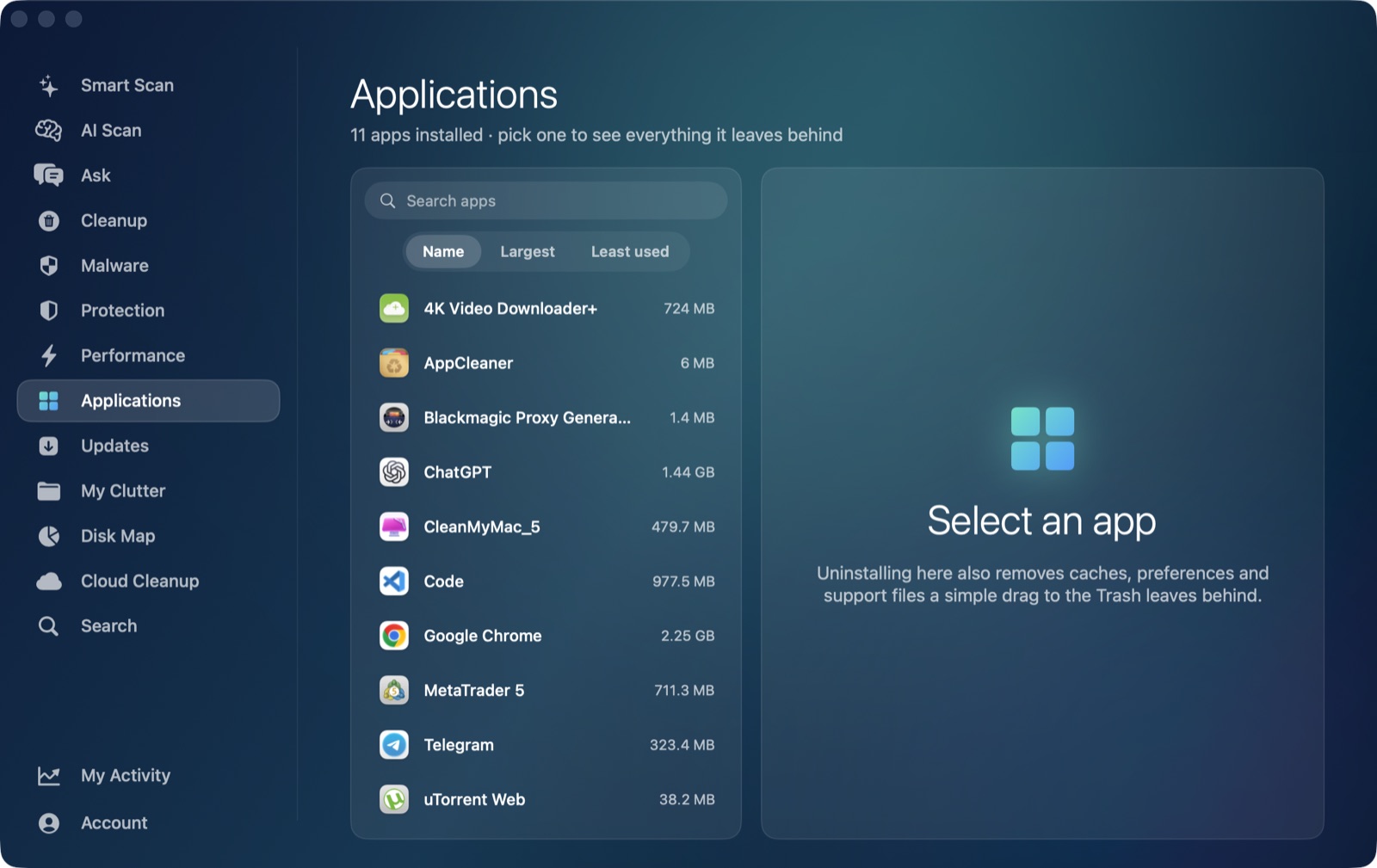
AI Mac Cleaner's Applications module works as an uninstaller that also finds an app's leftovers in ~/Library, matching by Spotify's own bundle ID (com.spotify.client) rather than guessing from its display name — it checks Application Support, Caches, Logs, Preferences, Preferences/ByHost, Saved Application State, HTTPStorages, WebKit, Cookies, Containers, Application Scripts and LaunchAgents for anything tied to that identifier or to "Spotify" by name. Point it at Spotify and it finds the preferences file, the cache, the Application Support folder — offline downloads included — and the saved state together, shows you the list and the size before anything moves, and clears the lot in one confirmed action.
One thing it deliberately never does: list Apple's own apps, itself, or Claude as something you could uninstall. It's built for clearing out third-party software you installed and no longer want.
Nothing is deleted outright
Every removal in AI Mac Cleaner goes through its Trash-only remover, which also refuses a fixed list of protected system paths — so if you remove Spotify and realize afterward you wanted to keep an offline-downloaded album, it's recoverable from the Trash until you empty it yourself, on purpose. That matters more here than for a typical app, since a full Spotify removal clears real downloaded content, not just cache.
If you'd rather not hunt through Library folders and a hidden offline-downloads cache by hand, AI Mac Cleaner's Applications module does the finding for you, on Spotify or anything else installed. There's a 7-day free trial with every feature unlocked and no card required, and plans start at $6.99/mo after that. See how it works.
Frequently asked questions
Does deleting Spotify from Applications remove my offline downloads too?
No. Deleting the app bundle only removes the program icon. Your downloaded tracks live in ~/Library/Application Support/Spotify/PersistentCache/Storage, separate from the app, and survive until that folder is removed too — which a full uninstall does, but a cache-only clear does not.
Is clearing Spotify's cache the same as uninstalling it?
No. The cache (~/Library/Caches/com.spotify.client) is just rebuildable streaming data. A full uninstall also clears preferences, saved state, a launch agent and the Application Support/Spotify folder — including any offline downloads — which a cache clear leaves alone.
Will I lose my playlists if I uninstall Spotify and reinstall it later?
No — your playlists and account data live on Spotify's servers and reload once you sign back in. Only offline downloads and local cache are stored on your Mac, and those are exactly what a full uninstall clears.
Is it safe to delete Spotify's leftover folders myself in Finder?
Yes, once the app is already removed — match folders and files by com.spotify.client (and com.spotify.webhelper for the launch agent) rather than the plain name alone, and move things to the Trash rather than deleting directly so a mistake stays recoverable.
How is AI Mac Cleaner's uninstaller different from just dragging Spotify to the Trash?
It removes the app and then specifically searches ~/Library for Spotify's own leftover folders and files by bundle ID, shows you the list — including the offline-downloads folder, sized — before anything happens, and moves everything to the Trash rather than deleting it outright.