AI Mac Cleaner
How to Clear Spotify Cache on Mac
Spotify's cache on Mac can quietly grow to several gigabytes. Here's how to clear it from inside Spotify, and how AI Mac Cleaner's general caches category reaches it too.
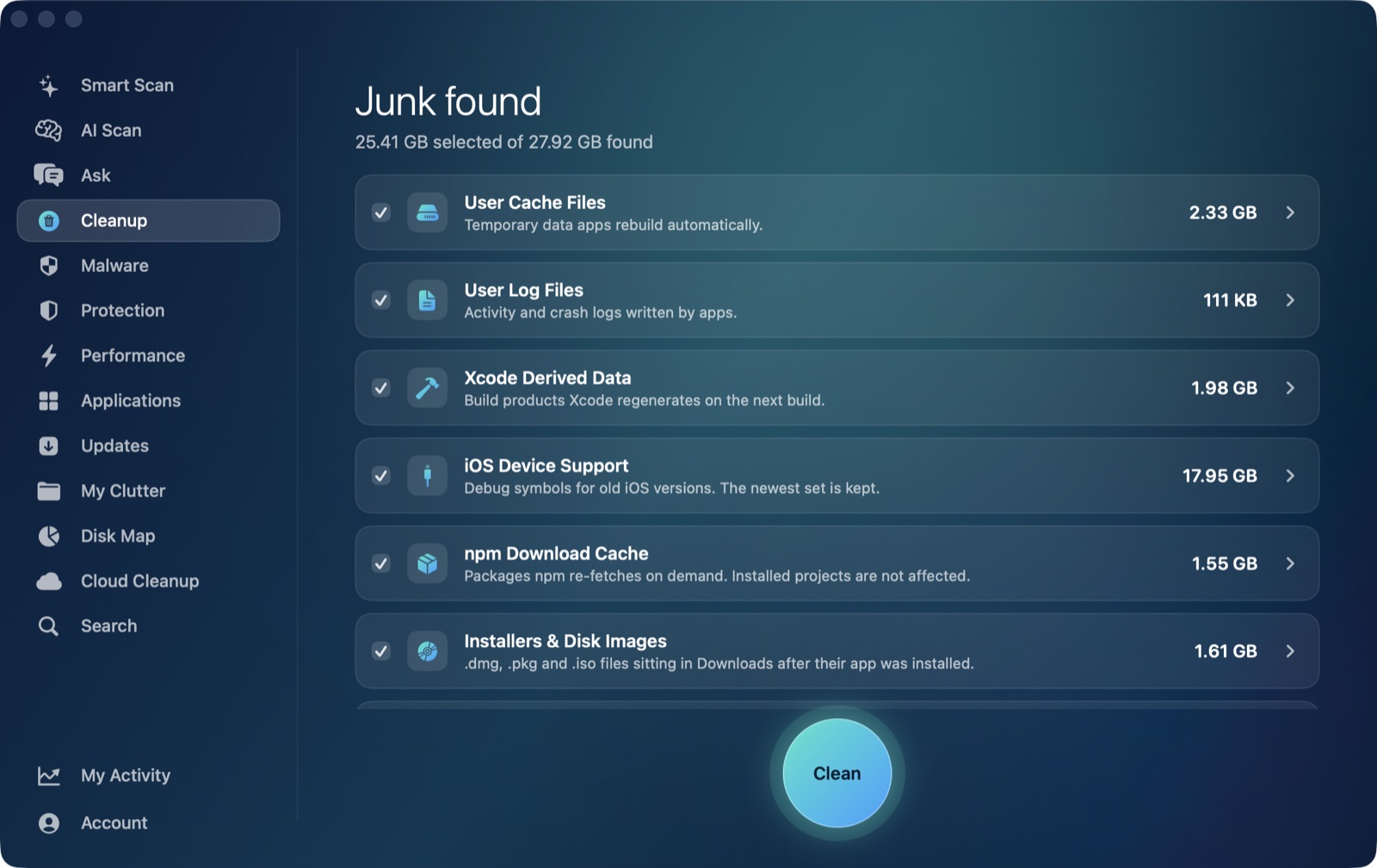
Spotify's desktop app is a well-known offender when it comes to quietly eating disk space — it's common to open its own storage settings and find several gigabytes sitting in cache alone, even on a Mac that isn't short on storage otherwise. The good news is this one's genuinely safe and easy to clear, and there are two legitimate ways to do it depending on whether you want to handle just Spotify or sweep every app's cache at once.
Where Spotify's cache actually lives
Spotify's Mac cache folder sits at ~/Library/Caches/com.spotify.client. It holds streamed audio data, artwork, and other temporary files the app keeps around so songs you've recently played load instantly from disk instead of re-streaming from scratch every time. It's meant to grow — that's the cache doing its job — but it has no real upper bound unless you set one, and it's common to see it reach several gigabytes without Spotify ever asking you about it.
Worth being clear on one distinction: this cache is not the same thing as songs or albums you've deliberately downloaded for offline playback. Those live in Spotify's own offline storage, separate from the cache folder, and clearing the cache — through either method below — doesn't touch your offline downloads or your playlists. You'd only lose those by explicitly removing a download inside the app.
Clearing it from inside Spotify
Spotify has its own built-in cache control: Spotify → Settings → Storage, then Clear Cache. This is the most direct route if you only want to deal with Spotify specifically, and the same screen lets you set a cache size limit going forward, which keeps it from silently growing unchecked again. It's a safe, Spotify-supported action — you're not editing files by hand, just telling the app to empty a folder it already manages.
The general-purpose alternative: user caches
Spotify's cache folder is just one of many apps' folders sitting under ~/Library/Caches, and AI Mac Cleaner's User Cache Files category in the Cleanup module sweeps that entire location — clearing each app's cache folder, Spotify's included, in a single pass. Unlike Apple's own apps (Safari, Mail, and others whose caches live under a com.apple. prefix and are deliberately left alone by this category), Spotify's com.spotify.client folder isn't protected the same way, so it's reached and cleared along with everything else that's built up — old Slack attachments, Chrome's cache, whatever else is installed.
The practical difference from clearing it inside Spotify: this route doesn't touch Spotify's own size-limit setting (there's nothing to configure here, just a folder emptied), and it happens as part of a single sweep across every app rather than one app at a time. If you only care about Spotify, its own Settings → Storage panel is just as effective and arguably more direct. If you'd rather clear Spotify's cache as part of a routine pass across everything that's accumulated, the Cleanup module's User Cache Files category gets there too, sized and listed by app before anything moves.
Which one to use
- Spotify's own Settings → Storage → Clear Cache, if you only want Spotify dealt with and want to set an ongoing size limit at the same time.
- AI Mac Cleaner's User Cache Files category, if you want Spotify's cache cleared as part of a wider pass across every app that keeps one, without opening each app individually.
Either way nothing here touches your playlists, your account, or anything you've downloaded for offline listening — a cache folder is the one part of Spotify that's genuinely disposable at any time.
Safety either way
Every removal AI Mac Cleaner performs goes through a Trash-only remover rather than deleting files directly, and user caches is one of the categories eligible for Auto Clean, since a cache folder regrowing on its own is exactly the kind of low-risk, self-healing junk that's safe to handle automatically. If you'd rather see exactly what's there first, the category lists size per app before you confirm anything.
For the fuller picture of what's safe to clear and what isn't, see is it safe to clear caches on a Mac. If you're clearing out browser caches too, see how to clear Chrome cache on Mac for the same category handling a different app. AI Mac Cleaner has a 7-day free trial with everything unlocked and no card required, plans from $6.99/mo after that.
Frequently asked questions
Will clearing Spotify's cache delete my downloaded (offline) songs?
No. Offline downloads are stored separately from the cache folder. Clearing the cache — either in Spotify's own Settings or through a general caches cleanup — only removes temporary streaming data, not anything you've deliberately downloaded.
How big can Spotify's cache actually get?
It has no hard limit by default and commonly reaches several gigabytes on an active account, since every track you stream gets cached as you play it. Spotify's Settings → Storage panel lets you set a cap once you've cleared it.
Does AI Mac Cleaner have a Spotify-specific cache cleaner?
Not a dedicated one — it has a general User Cache Files category that sweeps ~/Library/Caches and clears each app's folder, Spotify's com.spotify.client included, along with everything else that isn't one of Apple's own protected app caches.
Why does Spotify's cache come back after I clear it?
It's meant to. The cache rebuilds as you stream, because that's what lets a recently played track start instantly instead of re-downloading from scratch — a cache refilling isn't a sign anything went wrong.
Is clearing Spotify's cache safe to automate?
Yes — it's one of the categories eligible for AI Mac Cleaner's Auto Clean, since cache folders are self-healing and low-risk by nature. Your playlists, account, and offline downloads are a different kind of data and aren't touched by this category at all.