AI Mac Cleaner
Your Intel Mac Is Stuck on Tahoe Forever — Keep It Fast Anyway
Apple confirmed macOS Tahoe is the last major release for Intel Macs, which then get three more years of security-only updates. Here's what that actually means, and how to keep an Intel Mac fast while it lasts.
Apple just drew a line most Intel Mac owners didn't see coming, and it didn't arrive with a splashy keynote moment — it showed up in release notes and the reporting that followed. Apple has confirmed that macOS Tahoe (26) is the last major macOS release Intel Macs will ever get. macOS 27 "Golden Gate" ships Apple Silicon only, and Intel Macs already running Tahoe get three more years of security-only updates: patches for known vulnerabilities, no new features, no new major version.
If you own an Intel Mac, that headline reads like an ending. It isn't one, not yet. A machine that still gets security patches for three more years is still a machine worth using carefully — just not one you should run on autopilot and assume will keep up on its own. Here's what the cutoff actually means, and what's worth doing with the years you have left on it, instead of either ignoring the news or assuming you need to buy a new Mac tomorrow.
What "last major update" actually means for you
Three things are true at once, and it's worth separating them, because the news cycle has blurred them together:
- Your Mac keeps working exactly as it does today. Tahoe doesn't stop running the morning macOS 27 ships. Every app, file and workflow you rely on now keeps working.
- You stop getting new macOS features, permanently. Whatever Apple ships in 27 and beyond — new system capabilities, redesigned apps, newer Apple Intelligence features — arrives only for Apple Silicon Macs. Your Mac is frozen at Tahoe's feature set for good.
- You keep getting security fixes, not feature updates, for about three more years. That's a real, meaningful window — not an abandoned machine — but it is a countdown, and three years on a Tahoe-era Mac is a different proposition than three years on a brand-new one.
None of that makes macOS 27 bad news for the Mac you already own. It means the clock on new macOS started running down the day Apple confirmed this is intel mac no longer getting updates territory, and the honest move now is to spend the Tahoe years making sure your Mac's everyday speed and storage aren't what makes it feel old before the security updates actually run out.
Is my Intel Mac still worth using in 2026?
For most of what people actually do on a Mac — browsing, email, documents, spreadsheets, video calls, light photo editing — yes. Tahoe runs fine on the Intel Macs it supports, and three years of security patches is long enough that "replace it because Apple said so" isn't a reason by itself to spend money.
Where the calculus changes is heavier or newer-feature work: later Apple Intelligence capabilities that lean on Apple Silicon's neural engine, GPU-hungry creative apps, or anything where you're already fighting your Mac for speed. If your Intel Mac already feels sluggish today, the three-year countdown is a reason to find out why before deciding whether that's a software problem or a hardware one — not a reason to assume it's hardware by default. We've covered the usual suspects for Mac slowdowns separately, and most of them have nothing to do with Intel versus Apple Silicon at all.
It's also worth being specific about where Apple Silicon actually matters inside AI Mac Cleaner itself, rather than hand-waving it: AI Scan's findings explanations run on Apple's on-device model (FoundationModels) when Apple Intelligence is available, and like most on-device AI features, that leans on Apple Silicon hardware. On an Intel Mac, AI Scan falls back automatically to a clearly-labelled rule-based summary instead — every scan still runs and still tells you what it found, you just don't get the on-device AI layer that newer Macs do. That's a concrete example of what the Intel/Apple Silicon split changes day to day, and of what it doesn't: the underlying scans, findings and Trash-only safety behavior work exactly the same either way.
How to keep an Intel Mac fast for its remaining years
If your Mac is going to be running Tahoe for a while, the highest-leverage move isn't chasing new features you won't get — it's making sure clutter and background noise don't compound a machine that isn't getting new hardware. Three concrete things worth doing:
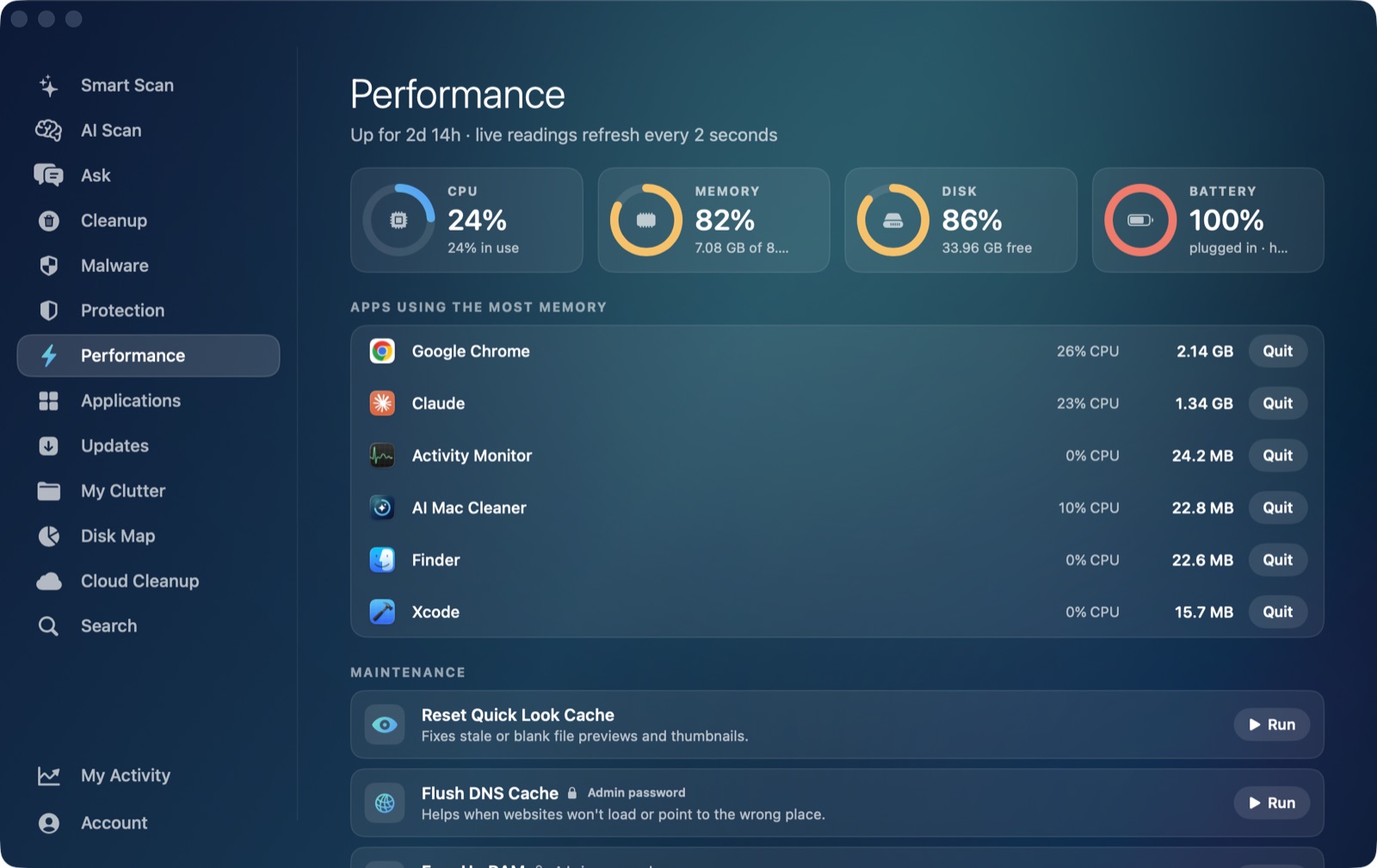
1. Run an actual performance check, not a guess. Before assuming your Mac is "just old," look at what it's actually doing. AI Mac Cleaner's Performance module shows live CPU, RAM, disk and battery readings — including battery health and cycle count — alongside a ranked list of the heaviest running apps and a launch agent manager. Those are the same places a slow Mac usually traces back to, whether it's Intel or Apple Silicon. A Mac that's slow because three background apps are fighting over RAM gets fixed by quitting or managing them, not by a macOS version you're not getting anyway.
2. Clear out the cache and junk that quietly piles up. The Cleanup module covers 13 categories: user cache files, log files, Xcode DerivedData, old iOS Device Support, Simulator caches, npm's download cache, and installers & disk images are auto-offered, while riskier categories — archives in Downloads, node_modules folders, iPhone and iPad backups, Docker's disk image, virtual machines, and leftovers of apps you've already uninstalled — sit in a review-only list you tick yourself, never pre-selected. None of this is unique to Intel hardware, but a Mac that isn't getting a fresh OS install anytime soon benefits the most from not slowly filling up with years of accumulated cache.
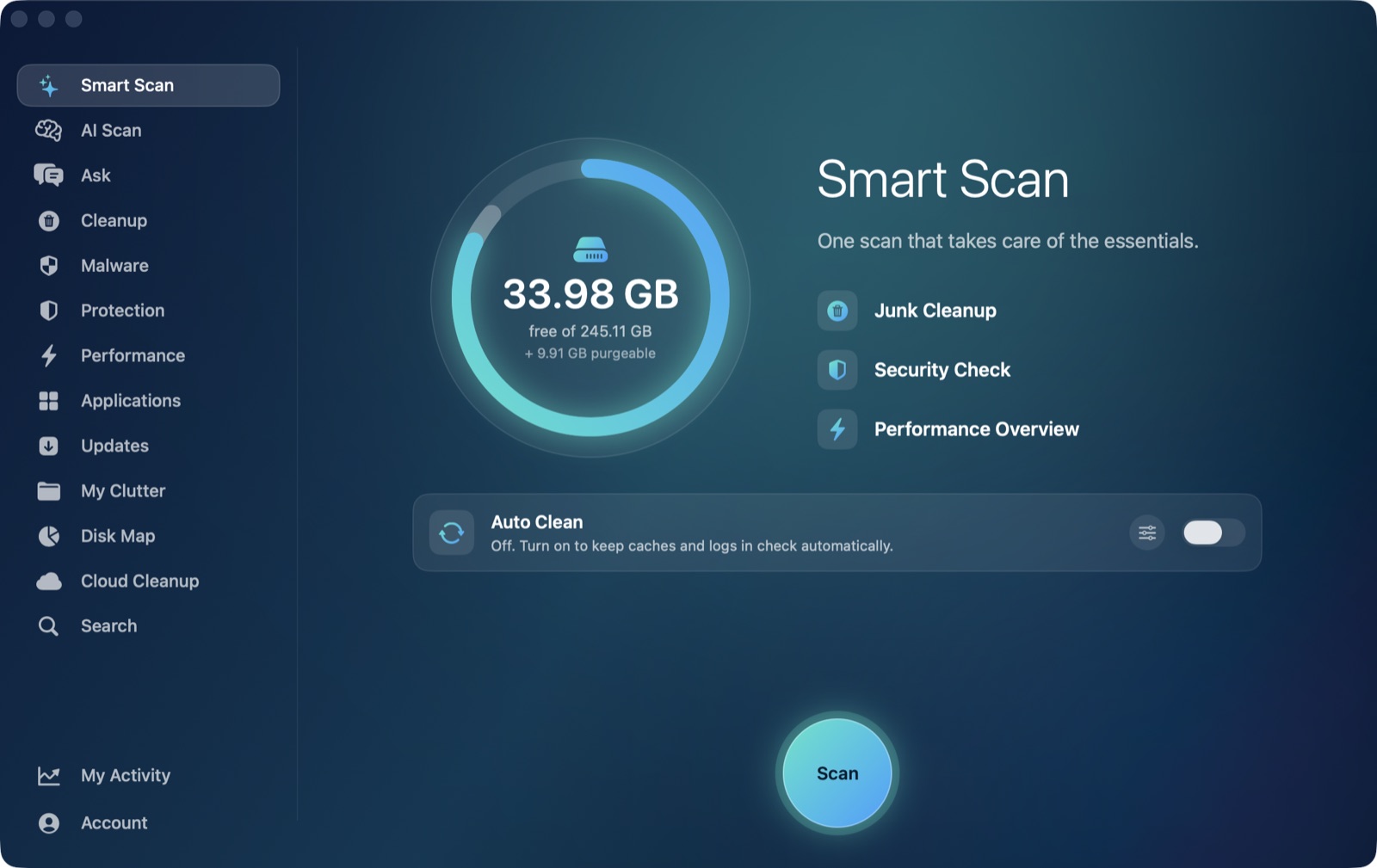
3. Let Smart Scan catch junk and performance issues in the same pass. Smart Scan runs a junk scan, a security check and a performance summary together in one pass, with an Auto Clean toggle for categories you've already decided are safe to clear automatically. For a Mac you're planning to keep running on the same OS for a few more years, that's a lighter habit than remembering to run three separate tools on your own schedule.
None of this changes when Apple stops shipping new macOS versions for Intel hardware — that date is already set. What it changes is whether the Mac you're stuck on Tahoe with feels fast and capable for those three remaining years, or slow well before the security updates actually stop. That part is still entirely in your control, and it's a far more useful question than "is my intel mac still worth using 2026" framed as a yes/no verdict on the hardware itself.
Whatever you clear, removal in AI Mac Cleaner only ever goes to the Trash, never straight deletion, with a hard-coded protected-path list keeping it out of your home folder and Documents regardless of what a scan finds — the same safety behavior whether your Mac shipped with an Intel chip or Apple Silicon. See how it compares to other cleaners in our CleanMyMac write-up, or read our broader take on whether a cleaner app is worth it at all before trusting any app with your files. Download the free trial to run a scan and see exactly what's on your Mac before deciding what, if anything, to clear.
Frequently asked questions
Is macOS Tahoe really the last update for Intel Macs?
Yes — Apple has confirmed macOS Tahoe (26) is the last major macOS release for Intel Macs. macOS 27 "Golden Gate" is Apple Silicon only, which is the specific macos tahoe last update for intel mac confirmation behind this news cycle. Intel Macs on Tahoe get about three more years of security-only updates: patches for vulnerabilities, but no new major OS version or feature set.
Is my Intel Mac still worth using in 2026?
For everyday use — browsing, documents, email, video calls, light photo work — yes, and three years of security patches is a real window, not an abandoned machine. It's worth less for workloads that specifically lean on Apple Silicon features, like some newer Apple Intelligence tools. If your Mac already feels slow, check what's actually using CPU, RAM and disk before assuming the chip itself is the problem.
Will my Intel Mac stop getting security updates right away?
No. Apple's own confirmation is specifically three more years of security-only updates after Tahoe — your Mac keeps getting patched against known vulnerabilities, it just won't receive macOS 27's new features or any major version that comes after it.
Does AI Mac Cleaner work on Intel Macs?
Yes, fully — scanning, Cleanup, Performance, Smart Scan and the rest all work the same on Intel and Apple Silicon. The one difference is AI Scan's explanations: they run on Apple's on-device model when Apple Intelligence is available, and fall back automatically to a clearly-labelled rule-based summary when it isn't, which is typically the case on Intel hardware today.