 AI Mac Cleaner
bird Process High CPU on Mac: What It Is and What to Check
bird is the background daemon that syncs iCloud Drive. High CPU usually means a real sync in progress, not a problem with the process. Here's how to tell, and how Cloud Cleanup fits in.
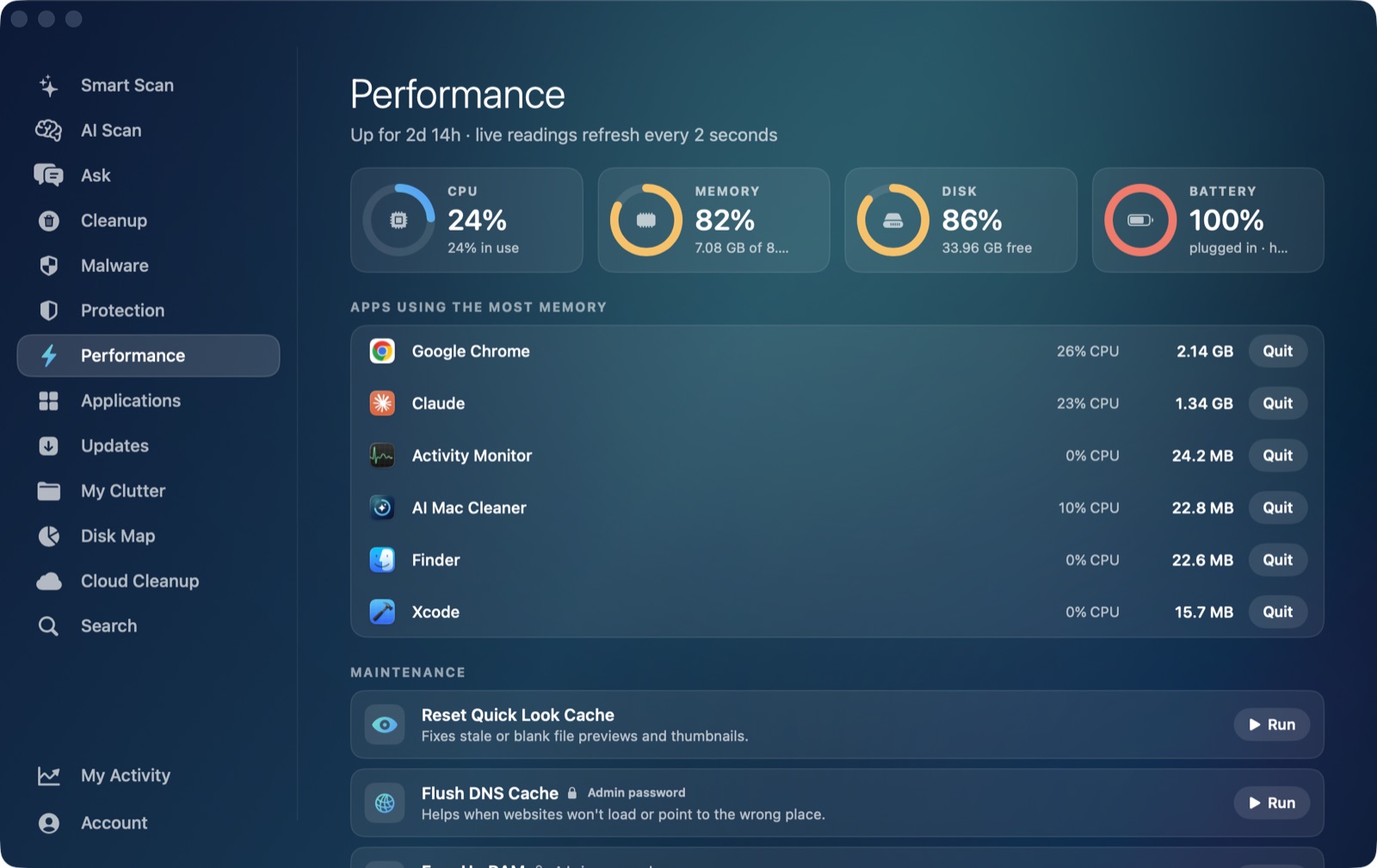
If you've spotted bird eating CPU in Activity Monitor, the name gives you no hint at all — which is exactly why it's a common search. bird is Apple's own background daemon for syncing iCloud Drive, and high CPU from it is almost always a sign that it's genuinely moving data, not that something is broken.
What the bird process actually does
bird runs continuously in the background (its launchd label is com.apple.security.bird) and handles the actual sync work for iCloud Drive: uploading files you've added or changed, downloading files other devices have synced to you, keeping file metadata consistent across your iCloud account, and managing which files are kept as cloud-only stubs on disk versus fully downloaded locally. Every app that saves into an iCloud-synced location — Desktop & Documents sync, iCloud Drive folders, any app that opts into iCloud document storage — ultimately depends on bird to actually move that data.
Because syncing is inherently a background, always-on job, bird doesn't have a settings panel or a way to pause it specifically; the only levers you have are the broader iCloud Drive toggle in System Settings and how much you're actually asking it to sync.
When bird's high CPU is normal
Expect a real, sometimes sustained, spike around:
- A large upload or download just started — adding a big folder to iCloud Drive, or a different device finishing a sync that now has to come down to this Mac.
- Right after turning on iCloud Drive, or signing into iCloud on a Mac that's never synced that account before — bird has to reconcile the entire existing iCloud file list against what's already on disk.
- A lot of small files changing at once, which is often worse for sync overhead than one big file, since bird has to process metadata for each one individually.
- Desktop & Documents sync enabled on a Mac with a genuinely large Desktop or Documents folder, since everything in both becomes iCloud Drive content under the hood.
This should taper off once the actual backlog of changes finishes syncing — which, for a large first sync or a slow connection, can reasonably take a while rather than being a quick blip.
When it's worth a second look
If bird stays busy for an extended period with no large sync you can account for, a few things are worth checking:
- Check iCloud's own status. System Settings → [your name] → iCloud → iCloud Drive. An error or a sync that shows as stuck here points to the actual cause being on iCloud's side — an account issue, a conflict, or a file bird can't process — rather than bird itself misbehaving.
- Look for a problem file. A corrupted or unusually structured file can make bird retry syncing it repeatedly. If a specific app's iCloud documents seem to be the trigger, that app's own sync status (many show a sync icon per file) is worth a look.
- Sign out and back into iCloud Drive, as a last resort — this forces a clean re-sync and clears whatever local sync state was stuck, at the cost of re-checking everything against iCloud again.
- Restart. As with any background daemon, a restart clears confused local state without touching your account or files.
Don't force-quit it
macOS restarts bird automatically if you kill it, and doing so mid-sync can leave files in a half-uploaded or half-downloaded state that has to be resolved on the next sync anyway — so force-quitting buys you a brief pause at best, not a fix.
Where AI Mac Cleaner's Cloud Cleanup fits in
This is a case where it's worth being precise about what the app can and can't do, rather than implying it manages the daemon itself. AI Mac Cleaner doesn't control, pause, or monitor the bird process directly — no app does, short of toggling iCloud Drive off entirely in System Settings. What its Cloud Cleanup module does instead is show the local footprint of iCloud Drive (everything under ~/Library/Mobile Documents/com~apple~CloudDocs) alongside every other provider under ~/Library/CloudStorage — Google Drive, Dropbox, OneDrive, Box — and lets you free local disk space from files that are already fully downloaded. For iCloud specifically, that means Remove Downloads, which calls evictUbiquitousItem to turn a locally-downloaded file back into a cloud-only stub: nothing is deleted from iCloud, it just stops taking up space on this disk, and it downloads again automatically the next time you open it.
The connection to a busy bird process is indirect but real: a Mac with a large amount of fully-downloaded iCloud content has more for bird to keep consistent on future syncs, so a smaller local footprint can mean less ongoing sync overhead — but Cloud Cleanup's actual job is disk space, not CPU, and it has no way to pause or speed up a sync in progress. Folders that look like code projects (containing .git, package.json, .xcodeproj, node_modules, and similar markers) are skipped entirely by the scanner, so it won't touch an iCloud-synced project folder. For the broader picture of what's filling up iCloud Drive specifically, see iCloud Drive taking up space on your Mac.
bird is one of several background daemons whose high CPU usually traces back to real work rather than a bug — coreaudiod behaves the same way around audio device switching, and mds_stores and mdworker do during Spotlight indexing.
AI Mac Cleaner has a 7-day free trial with every feature unlocked and no card required, plans from $6.99/mo after.
Frequently asked questions
What is the bird process on a Mac?
It's Apple's background daemon for syncing iCloud Drive (com.apple.security.bird). It uploads and downloads files, keeps metadata consistent across your iCloud account, and manages which files are kept locally versus as cloud-only stubs.
Why is bird using so much CPU right now?
Almost always a real sync: a large upload or download, a first-time iCloud Drive sync on this Mac, Desktop & Documents sync with a large folder, or a lot of small files changing at once. It should settle once the sync catches up.
Can I pause the bird process to free up CPU?
Not directly — there's no per-process pause for it. Turning off iCloud Drive in System Settings stops its sync work entirely, but that also stops iCloud Drive from working at all, which is a bigger change than most CPU spikes warrant.
Does AI Mac Cleaner manage or speed up iCloud sync?
No. Its Cloud Cleanup module shows iCloud Drive's local disk footprint and can evict already-downloaded files back to cloud-only stubs to free space, but it has no access to the bird process itself and doesn't control sync speed or pause syncing.
Is it safe to force-quit bird?
macOS restarts it immediately, so nothing is freed, and killing it mid-sync can leave files partially synced until the next attempt resolves them — it's rarely worth doing over just letting the sync finish.