 AI Mac Cleaner
Best Mac Cleaner for Apple Silicon Macs (M1 Through M4)
On an M1-M4 Mac, "best cleaner" starts with one filter before features or price: does it actually run native on Apple Silicon, or under Rosetta. Here's how to check, and where AI Mac Cleaner stands.
Searching "best Mac cleaner for Apple Silicon" is a reasonable thing to type now that most new Macs — and most Macs still being sold — run M1 through M4 chips rather than Intel. The honest answer starts with a filter most general "best cleaner" roundups skip entirely: whether the app you're considering actually runs native on Apple Silicon, or runs under Rosetta 2 translation, before you even get to comparing features or price.
Why "runs on Apple Silicon" and "runs native on Apple Silicon" aren't the same claim
Almost any reasonably current Mac app "runs on" an M-series Mac, because macOS includes Rosetta 2, Apple's translation layer for Intel-only software. That's not the same as running native arm64 code. A Rosetta-translated app works, but it's doing extra translation work on every instruction, which matters more for a system utility than for most apps — a cleaner's whole job involves scanning large numbers of files and sometimes live CPU/memory monitoring, exactly the kind of workload where translation overhead is most noticeable rather than irrelevant.
The only way to actually confirm which situation you're in is Activity Monitor: open it, add the "Kind" column (View menu → Columns → Kind, if it's not already showing), launch the cleaner, and look at what it says — Apple means native Apple Silicon code, Intel means it's running translated under Rosetta. A developer's marketing page saying "works great on M-series Macs" isn't the same claim as that column saying Apple; check it yourself rather than taking either a vendor's word or a stranger's forum post on faith, since compatibility details change between app versions.
Where AI Mac Cleaner stands on this specifically
AI Mac Cleaner's Xcode project targets macOS 14 and up with Xcode's standard architecture setting rather than restricting the build to one chip family — it ships as a universal binary built for both Apple Silicon and Intel, and on an M-series Mac that means it launches and runs the arm64 slice directly: no Rosetta translation, confirmed by checking that same Activity Monitor "Kind" column. There's no separate "Apple Silicon edition" to track down or pay extra for — one download, native on whichever architecture your Mac actually has.
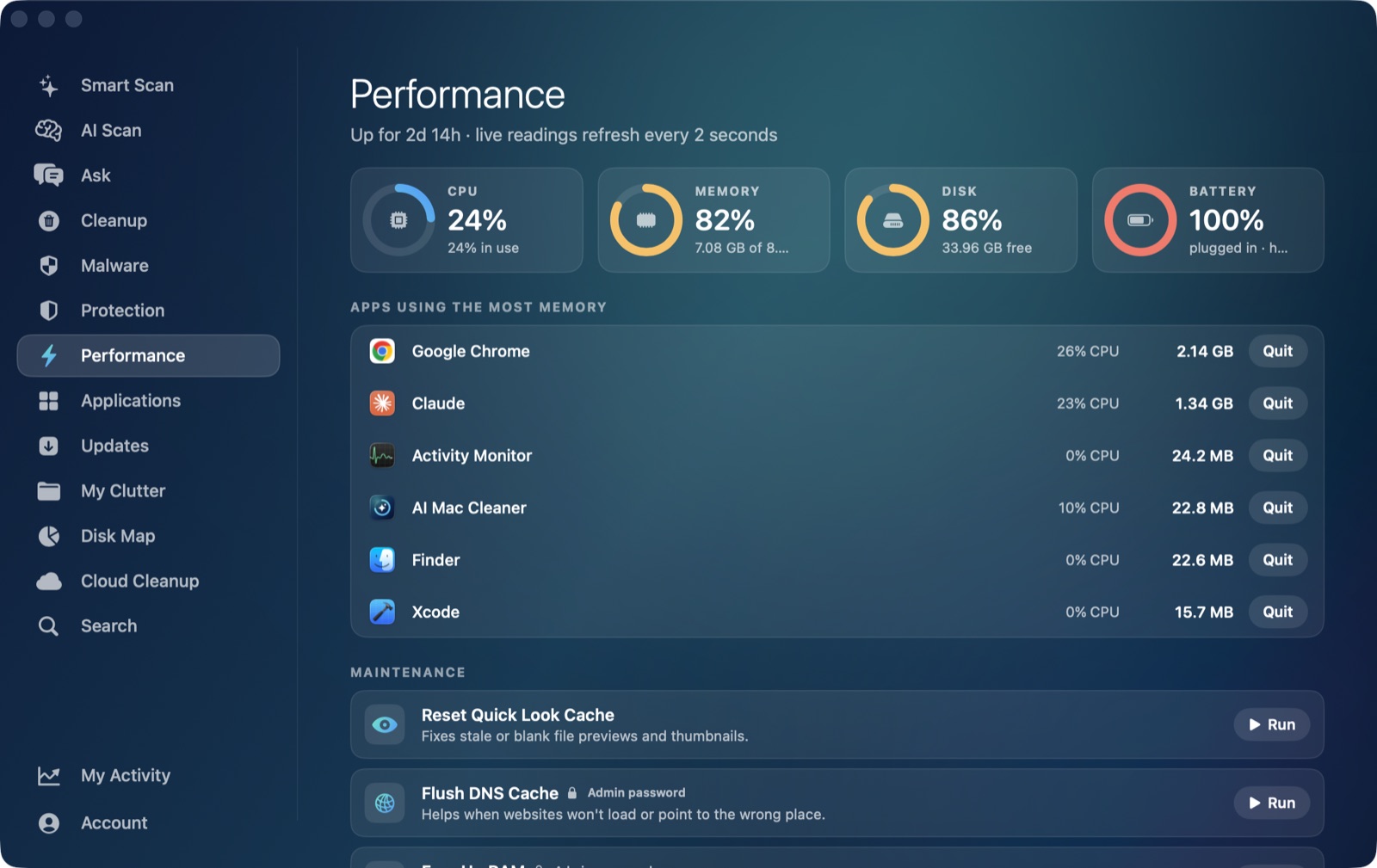
That matters most for the parts of the app that are genuinely CPU-sensitive in the first place: the Performance module's live CPU, RAM, disk and battery readings refresh every two seconds using the same low-level host_statistics/host_statistics64 APIs Activity Monitor itself uses, and its per-app CPU and memory figures come from walking the live process table — work that benefits directly from running as native code rather than through a translation layer on every sample. The same goes for the scanners behind Cleanup, My Clutter and Disk Map, which walk large directory trees and in Disk Map's case lay out a full treemap of whatever folder you point it at.
What "best for Apple Silicon" should actually mean beyond the architecture check
Running native is the entry requirement, not the whole answer. Once that's confirmed, the differences that actually matter are the same ones that matter on any Mac:
- Does it show what it found before touching anything, with real sizes, rather than a vague "junk found" number and a single Clean button?
- Does removal go to the Trash, or straight to permanent deletion? Recoverable-by-default matters more on a daily-driver Mac than on one you're about to wipe.
- Are the riskiest categories — app leftovers, VM disks, old backups, node_modules — opt-in, or pre-selected for you?
- If it uses AI to explain findings, does that run on-device or send data to a server? Apple Intelligence-capable Apple Silicon Macs (M1 and later, with a recent enough macOS) can run on-device models locally, which is a real, checkable distinction, not marketing language.
AI Mac Cleaner's answers to those: nothing is ever deleted outright — every removal routes through FileRemover, Trash-only, with a hard-coded protected-path list; review-only categories (Docker images, VMs, iPhone backups, Downloads archives, node_modules, deleted-app leftovers) are never pre-ticked; and AI Scan's explanations run on Apple's own on-device FoundationModels, nothing sent off the Mac, falling back to a clearly-labelled rule-based summary when Apple Intelligence isn't available on that specific Mac.
Pricing, since that's part of "best" too
One Mac: $6.99/month, $49.99/year, or $199 as a one-time lifetime purchase, with a 7-day free trial that unlocks every feature and needs no card. After the trial, scanning stays free forever with cleaning capped at 500MB total until you're on a paid plan — so you can confirm the native-architecture claim and everything above yourself, on your own Apple Silicon Mac, before paying anything.
For a direct, feature-by-feature comparison against the two most commonly searched alternatives, see our CleanMyMac and MacKeeper write-ups — both worth checking against the same Activity Monitor "Kind" test described above before you decide. If you're coming at this from the opposite direction — an Intel Mac rather than an M-series one — see your Intel Mac is stuck on Tahoe forever for what that split actually means for you.
AI Mac Cleaner has a 7-day free trial with every feature unlocked and no card required, plans from $6.99/mo after.
Frequently asked questions
How do I check if a Mac cleaner runs native on Apple Silicon or under Rosetta?
Open Activity Monitor, add the "Kind" column via View → Columns → Kind if it isn't already showing, then launch the app and check what it says for that process — "Apple" means native arm64 code, "Intel" means it's running translated through Rosetta 2.
Does AI Mac Cleaner run natively on M1, M2, M3 and M4 Macs?
Yes. It ships as a universal binary targeting macOS 14 and up, built for both Apple Silicon and Intel architectures — on an M-series Mac it launches and runs the native arm64 slice directly, with no Rosetta translation involved.
Does running under Rosetta actually make a cleaner app worse?
It adds translation overhead to every instruction, which matters more for a utility doing heavy file-system scanning or live system monitoring than for a simple app sitting idle. It's not necessarily broken, but it's doing more work than it needs to for the same result.
Is there a separate Apple Silicon edition of AI Mac Cleaner I need to download?
No — one download is a universal binary that runs native on whichever architecture your Mac actually has, Apple Silicon or Intel, with no separate edition or extra step required.
Does Apple Silicon matter for the app's AI features specifically?
Apple Intelligence's on-device models require Apple Silicon (M1 or later) and a sufficiently recent macOS version. AI Mac Cleaner's AI Scan uses those on-device models when available; on a Mac where Apple Intelligence isn't available, it falls back to a clearly-labelled rule-based summary instead.
See it run native on your Mac. Start the free 7-day trial — every feature unlocked, no card required. Plans start at $6.99/mo (yearly $49.99, lifetime $199 for one Mac); see full pricing for the 2- and 5-Mac tiers.