 AI Mac Cleaner
Your MacBook is full of semester clutter, not apps.
A base 256GB MacBook fills up fast once lecture recordings, Canvas and Zoom downloads, duplicate PDFs, synced Photos and a semester's worth of browser research tabs pile on top of each other — and none of that shows up as one tidy number in Finder or About This Mac. AI Mac Cleaner's scan finds each category by name, sized, and clears it to the Trash — never straight to deletion — so you can free up real space before finals week, not after your Mac is already out of room.
Requires macOS 14 or later · Apple silicon and Intel · Notarized by Apple · Version 0.1
The clutter that actually fills a student's Mac
Not generic "junk" — the specific things a semester leaves behind, scanned and listed with their size before anything moves.
🎥 Lecture recordings & PDFs saved twice
Re-downloaded a Canvas PDF or Zoom recording under a new file name? My Clutter's duplicate finder matches by SHA-256 content, not filename, so renamed copies don't slip past.
☁️ Synced Photos & iCloud Drive
Photos and files you've already downloaded from iCloud often stay fully on your disk even when you don't need them locally. Cloud Cleanup shows the local footprint per file and lets you evict what you don't need right now — nothing leaves iCloud.
🌐 Browser cache from research tabs
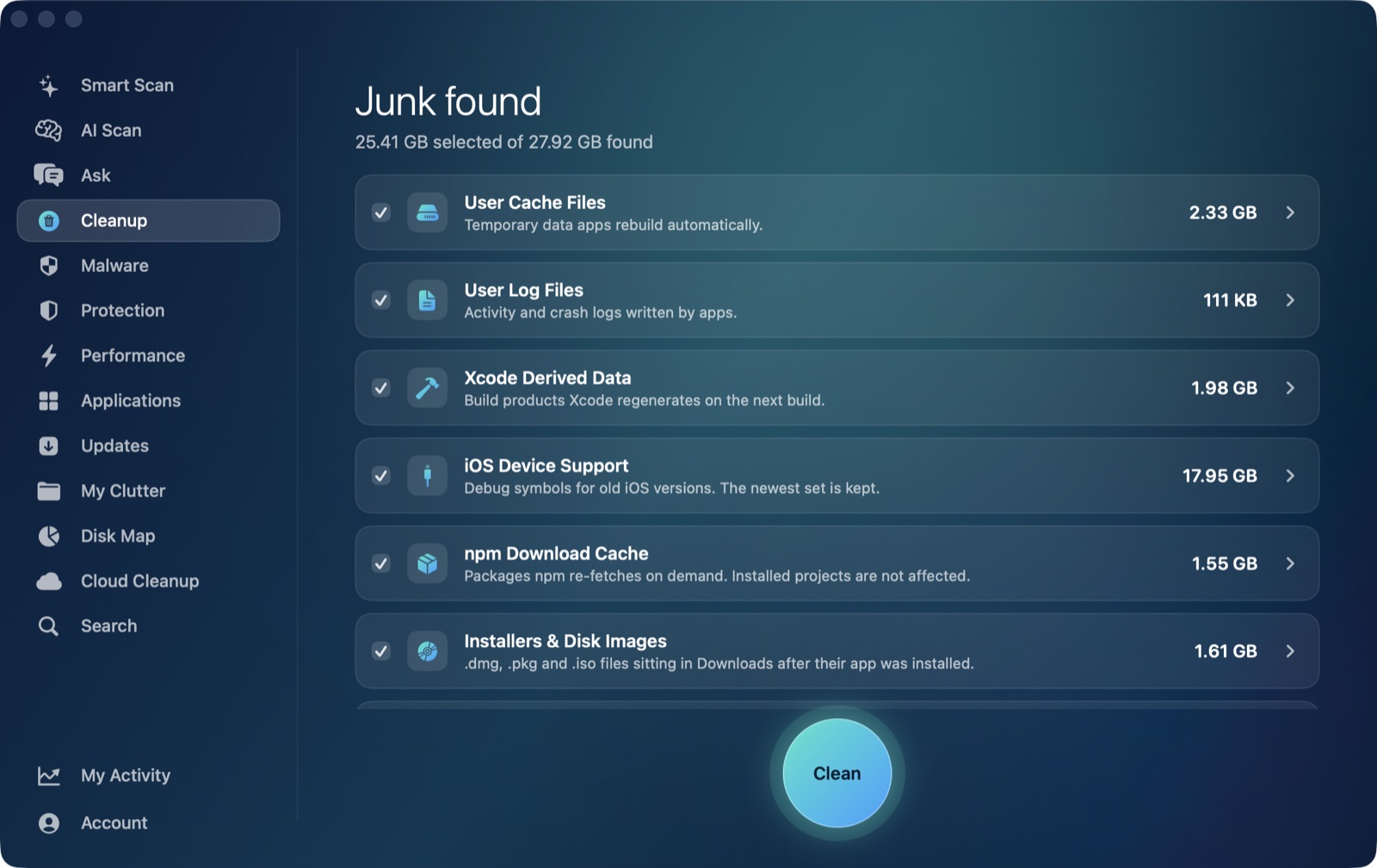
A semester of research, fifty tabs deep, leaves real cache behind in ~/Library/Caches long after the tabs are closed. Cleanup's general caches category sweeps it the same way for Chrome, Safari or anything else.
💰 Pay once, not every month
On a student budget, a recurring subscription for a Mac cleaner is a hard sell. AI Mac Cleaner's $199 lifetime licence is a genuine one-time purchase — see how it compares to other no-subscription cleaners.
Auto-offered categories are listed and sized for you to select in Cleanup. Duplicates, large/old files and cloud-storage items are review-only — you see the size and decide, nothing is pre-ticked for you.
Built for a student budget: pay once, not forever
Most Mac cleaners — including the best-known names — only come as a monthly or yearly subscription. That's a real cost on top of tuition, textbooks and everything else. AI Mac Cleaner doesn't make you choose a recurring plan.
One payment, one Mac, no renewal
Alongside the $6.99/month and $49.99/year plans, AI Mac Cleaner offers a $199 one-time lifetime licence for one Mac — pay once and it's yours for as long as you own that Mac, with the exact same Pro feature set as the subscription plans. Every plan, including lifetime, starts with the same 7-day free trial and no card required, and scanning stays free forever after that even if you don't buy anything, with cleaning capped at 500MB total until you do.
- No surprise renewal charge to catch you mid-semester.
- The lifetime price is higher up front than a single month, but breaks even well before a typical degree is finished.
- See the full price-by-price comparison against other no-subscription Mac cleaners in Mac Cleaner Without Subscription: One-Time Purchase Picks (2026).
Nothing is ever deleted directly
Every removal in AI Mac Cleaner goes through the app's FileRemover, which moves files to the macOS Trash. The only permanent deletion is Empty Trash, and that's a step you take yourself.
FileRemoverrefuses a hard-coded list of protected paths — your home folder, Documents and iCloud Drive — regardless of what a scan finds there, so your essays, notes and class files stay untouched.- Duplicate lecture recordings and PDFs are listed for you to review; one copy of every duplicate set is always kept automatically.
- A mistake is one "Put Back" away, right up until you empty the Trash.
Frequently asked questions
Will AI Mac Cleaner delete my lecture recordings, notes or essays?
No. Removal only ever goes through the app's FileRemover, which moves files to the macOS Trash and refuses a hard-coded list of protected paths — your home folder, Documents and iCloud Drive among them. Duplicate files it finds are listed for you to review, with one copy always kept; nothing in My Clutter or Cloud Cleanup is removed automatically.
I'm on a 256GB MacBook — does scanning itself use up more space?
No. Scanning only reads file metadata and sizes to list what's using space; it doesn't copy or move anything until you choose to clean a category, and even then the files go to the Trash, not a second location.
Is there a one-time purchase option instead of a monthly subscription?
Yes. Alongside the $6.99/month and $49.99/year plans, AI Mac Cleaner offers a $199 one-time lifetime licence for one Mac — pay once, no renewal, ever. Every plan starts with the same 7-day free trial, and scanning stays free forever after that, with cleaning capped at 500MB until you're on a paid plan.
If I free up iCloud Photos space on my Mac, does that delete the photos from iCloud too?
No. For iCloud Drive, Cloud Cleanup's Remove Downloads action evicts the local copy of a file you've already downloaded — the file stays safely in iCloud and re-downloads automatically the next time you open it. Nothing is deleted from iCloud itself.
Can it find duplicate PDFs or recordings I downloaded twice under different names?
Yes. My Clutter's duplicate finder matches files by SHA-256 content hash, not filename, so a syllabus PDF saved twice with different names, or a lecture recording re-downloaded from Canvas, still gets caught.