 AI Mac Cleaner
The npm cache clean command on Mac, and when you don't need it
npm already dedupes and verifies its cache automatically, so `npm cache clean --force` is rarely the fix it's reached for. Here's what the cache actually is, when clearing it helps, and the safer way to recover the space.
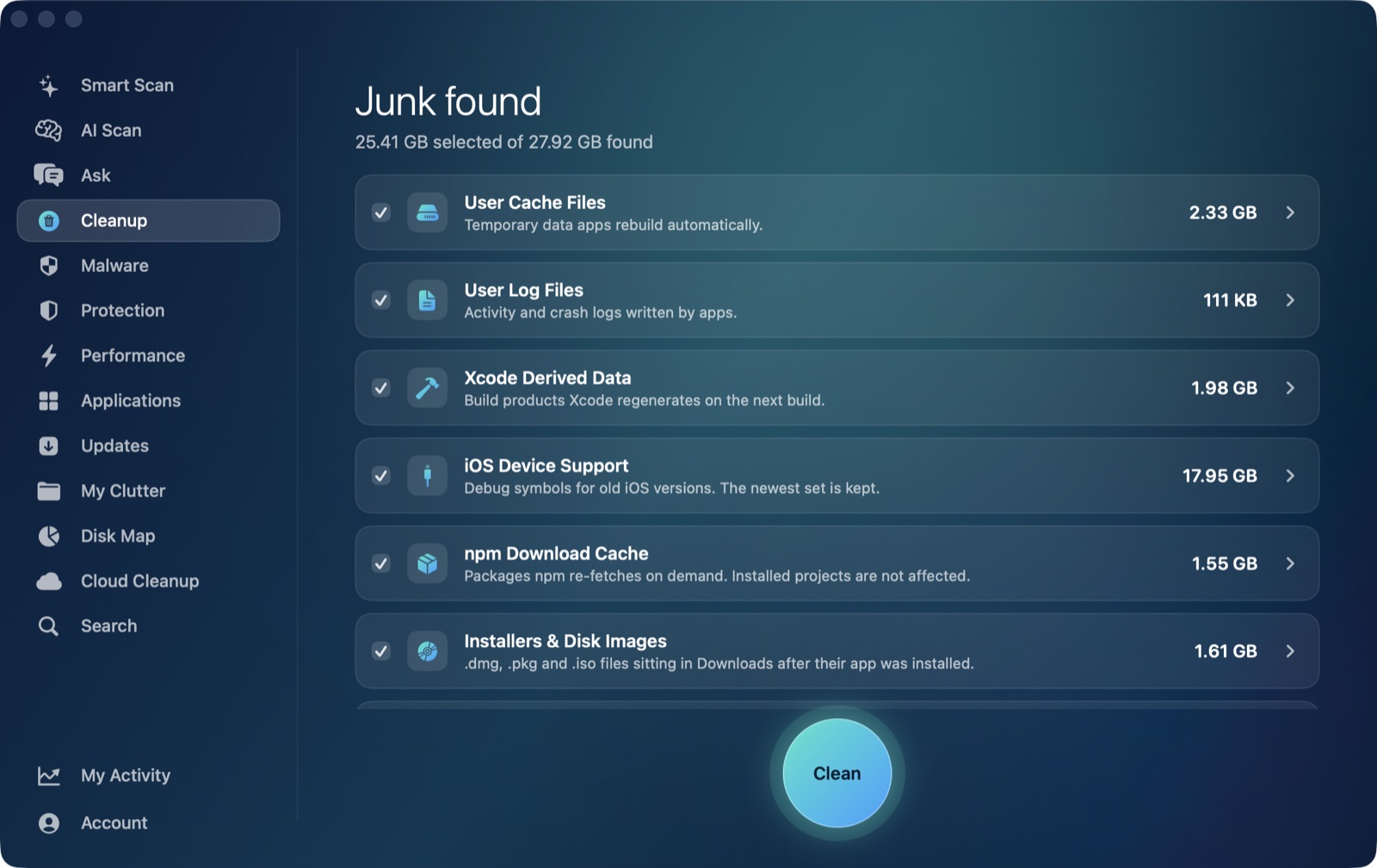
If you build JavaScript or TypeScript projects, ~/.npm is quietly growing on every npm install you run — and the usual advice when disk space gets tight is npm cache clean --force. That command works, but it's more aggressive than most people realize, and it's often not actually what's filling your disk. Here's what npm's cache is for, when clearing it is the right call, and a safer way to get the space back.
What's actually in ~/.npm
npm keeps every package tarball it has ever downloaded in a content-addressable cache under ~/.npm/_cacache, indexed by hash rather than by package name or version. That's what makes repeat installs fast: if you've installed react@18.2.0 once, any future npm install anywhere on the machine can pull it straight from the cache instead of hitting the registry again.
npm doesn't let this grow forever on its own, either — modern npm (v5 and later) already verifies cache entries against their checksums and prunes corrupted ones automatically. That's different from node_modules, which is a complete, uncompressed copy of every dependency duplicated inside each individual project on your machine. On a Mac with a few years of projects, node_modules folders usually dwarf the shared ~/.npm cache many times over.
npm cache clean --force: what it does, and the catch
npm cache clean --force deletes the entire _cacache directory — every tarball npm has ever cached, for every project, going back as far as you've had npm installed. The --force flag exists because npm considers this risky enough to require it explicitly; without it, the command refuses to run.
The catch: the next npm install on any project after a full cache clear has to re-download every package from the registry, from scratch, even ones you already have in node_modules right now. If you're offline, on a slow connection, or mid-sprint across several repos, that's a real cost for a cache that was doing its job.
When clearing it actually helps
The cache is worth clearing when it's grown very large relative to how much of it you're still reusing — long-dormant projects whose dependencies you're unlikely to install again, or after switching package managers (Yarn, pnpm) so npm's copy is now mostly dead weight. npm cache verify is the gentler first move: it checks the cache for integrity and prunes anything already invalid, without discarding everything that's still useful.
The safer way: let a cleaner size it first
AI Mac Cleaner's Cleanup module lists npm cache as one of its auto-offered categories, sized next to the other developer junk that fills up a Mac the same way — Xcode DerivedData, old iOS Device Support files, Simulator caches. Because it's auto-offered rather than review-only, it's treated like the other safely-regenerable caches: selecting it doesn't delete anything directly, every removal goes through FileRemover, which moves the files to the Trash. If a project you're mid-sprint on actually needed that cached tarball back, it's still recoverable until you empty the Trash — something npm cache clean --force never gives you.
node_modules folders themselves are a different case: the app lists them separately, review-only and never auto-ticked, because re-populating one means running npm install again yourself, not something to select without a second look.