AI Mac Cleaner
Mac Cleaner Without Subscription: One-Time Purchase Picks (2026)
Looking for a mac cleaner without subscription fees? Here's an honest comparison of DaisyDisk, Freshist, Mole, Macly and AI Mac Cleaner's $199 lifetime plan — price vs. what each actually cleans.
If you're searching for a mac cleaner without subscription fees, you've probably hit the same wall most people do: the well-known names (CleanMyMac, MacKeeper) are subscriptions, and most of the one-time-purchase alternatives you find are either very small single-purpose tools or, in one well-known case, not actually a cleaner at all. Here's an honest, price-by-price, feature-by-feature look at the real one-time-purchase options — DaisyDisk, Freshist, Mole and Macly — next to AI Mac Cleaner's own $199 lifetime plan, so you can see exactly what you're paying for before you buy.
Quick answer: DaisyDisk ($9.99 one-time) is a disk-space visualizer, not a cleaner — it shows you where space is going but doesn't remove anything for you. Freshist ($9) and Mole ($19) are small, genuinely one-time-purchase cleaning tools. Macly's scan is free. None of the four bundles a full clean-and-explain tool with on-device AI at AI Mac Cleaner's lifetime price point. If you want to pay once and be done, that's exactly what AI Mac Cleaner's $199 lifetime purchase (one Mac) is built for.
One-time price vs. what each app actually does
- DaisyDisk — $9.99 one-time, covers up to 5 personal Macs. Visualizes disk usage as an interactive map so you can see what's eating space. It does not clean, uninstall or remove files for you — you still delete things yourself once you've found them. (Official pricing)
- Freshist — $9 one-time. Five tools in one: clean, uninstall, optimize, analyze and monitor, built as a lightweight, no-subscription alternative to the bigger cleaners. (Product listing)
- Mole — $19 one-time, covers 2 Macs. Cleans caches across ten categories, manages uninstalls and updates, runs basic maintenance tasks, and includes a disk-usage treemap. (mole.fit)
- Macly — Smart Scan is free forever, no account needed, across 11 cleaning modules; a paid one-time tier unlocks the full set, though its exact price isn't published anywhere we could verify, so we're not going to guess at it. (Product listing)
- AI Mac Cleaner — $6.99/month, $49.99/year, or $199 one-time for a lifetime licence (one Mac), with a 7-day free trial on every plan. The only one of the five with on-device AI explanations of what it finds and why.
DaisyDisk is excellent at one job — it isn't a cleaner
DaisyDisk is a genuinely well-regarded, long-running app, and $9.99 for a tool you can use on up to five Macs is a fair price for what it does. But what it does is narrower than "clean my Mac": it draws a map of your disk so you can see which folders are large, then lets you drag files to a basket and delete them yourself. There's no junk-file scan, no cache categories, no uninstaller that also finds leftover files, and no AI explanation of what's safe to remove. If what you actually want is "show me the biggest things on my disk," DaisyDisk is a solid, honest pick. If you want something that finds and explains junk for you — developer caches, old iOS device support, app leftovers — you'll still need a separate cleaner on top of it.
Freshist, Mole and Macly: small, honest, one-time cleaners
All three are real, no-subscription tools built in the same spirit as the "pay once, own it" search this page is for. Freshist and Mole both cover the basics — junk cleaning, uninstalling, some disk-usage visualization, system monitoring — in a smaller package than CleanMyMac or AI Mac Cleaner. Macly's free Smart Scan is a genuinely free way to see what's using space before you decide whether to pay for anything at all. None of the three, from what's publicly documented about them, goes as deep as developer-specific caches (Xcode DerivedData, Simulator caches, npm cache) the way AI Mac Cleaner's Cleanup module does, and none of them explains its findings with an on-device AI model — that's not a knock on them, it's simply not what they're built to do.
What AI Mac Cleaner's $199 lifetime purchase actually includes
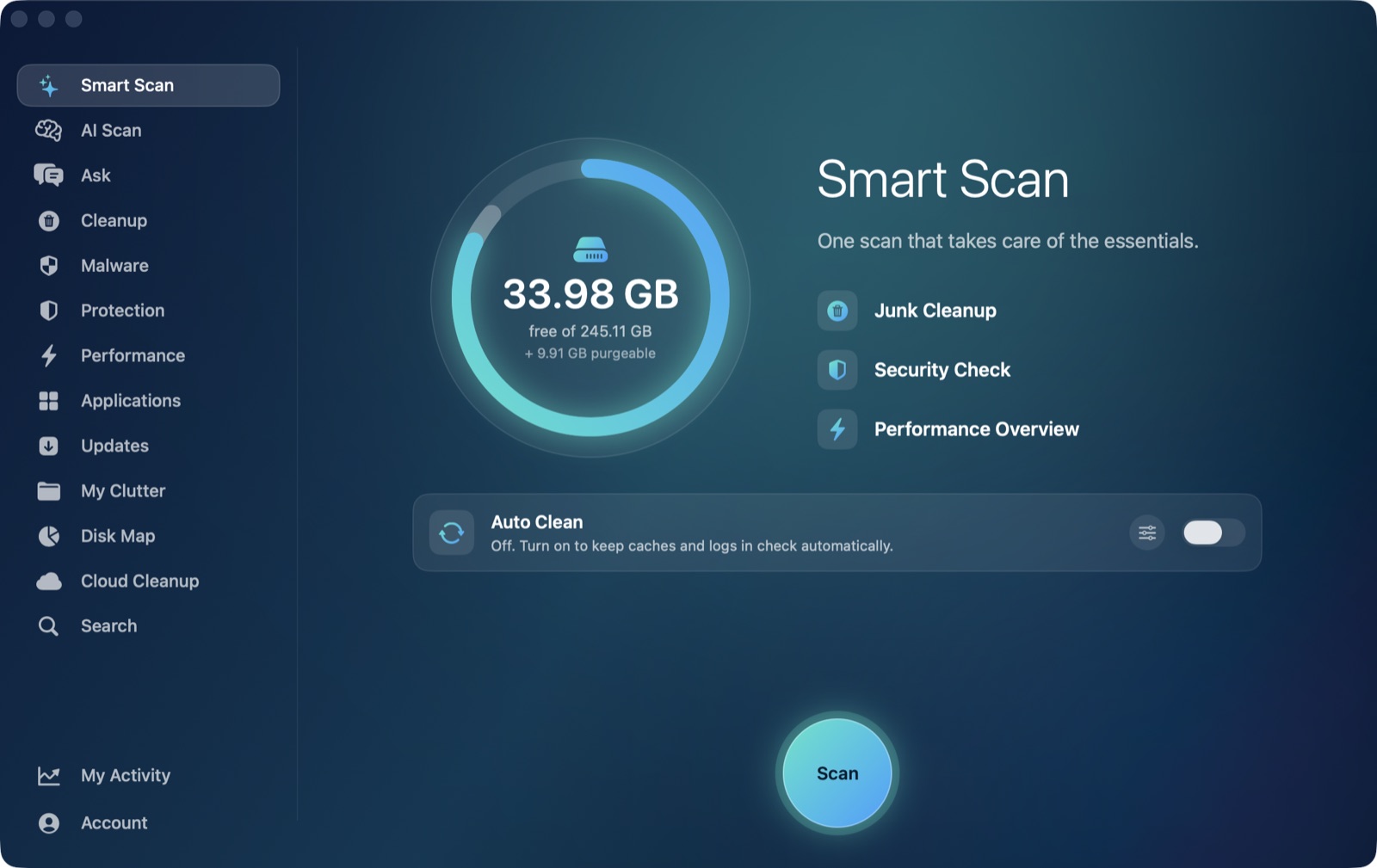
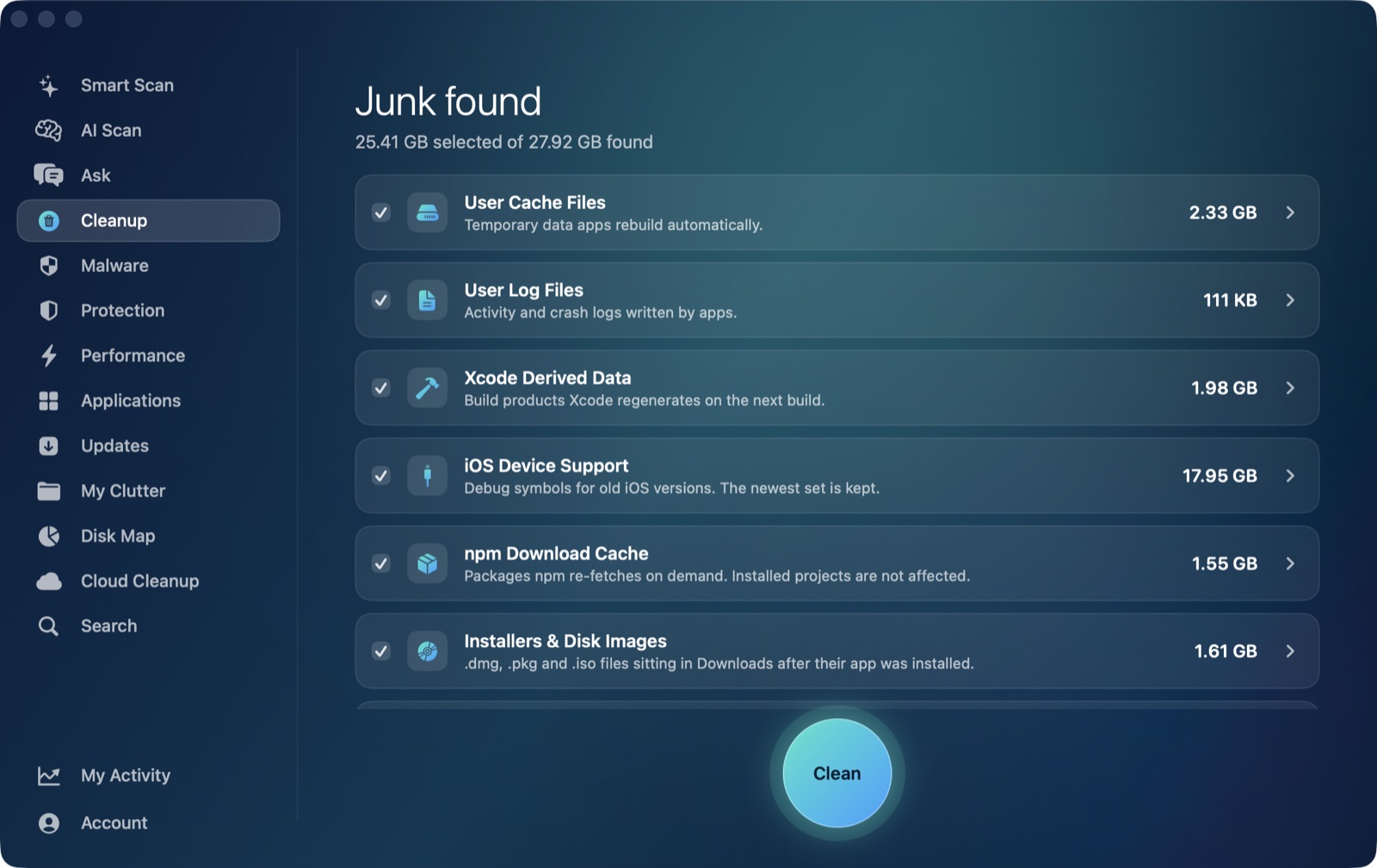
One licence, paid once, covers one Mac for as long as you own it — no renewal, no recurring charge. It unlocks the same Pro features as the monthly and yearly plans: Cleanup's 13 categories (user caches, logs, Xcode DerivedData, old iOS Device Support, Simulator caches, npm cache, installers and disk images, plus review-only categories that are never pre-ticked — archives in Downloads, node_modules, iPhone backups, Docker disk images, virtual machines, and leftovers of deleted apps), the uninstaller with ~/Library leftover detection, a duplicate finder, Malware's indicator-based scan, live performance stats, and AI Scan — which uses Apple's on-device FoundationModels to explain, in plain language, what it found and why. Nothing leaves your Mac, rules decide what's safe to offer (never the model), and it's included at no extra AI fee on any plan. Every removal goes to the Trash first through a single function with a protected-path list — nothing is ever deleted outright.
Every plan, including the lifetime one, starts with the same 7-day free trial with every feature unlocked and no card required. After the trial, scanning stays free forever with cleaning capped at 500MB total until you're on a paid plan.
Buy once, or try it free first
If "pay once" is the whole point, you can go straight to the one-time checkout: buy the lifetime licence for one Mac, $199. If you want to see what it finds on your own Mac first, start the free 7-day trial — no account, no card, nothing leaves your Mac — or see the full feature list.
Frequently asked questions
Is there a one-time purchase Mac cleaner?
Yes — several, at different depths. DaisyDisk ($9.99), Freshist ($9) and Mole ($19) are all genuine one-time purchases with no subscription. AI Mac Cleaner also offers a one-time lifetime option at $199 for one Mac, alongside its $6.99/month and $49.99/year plans, if you'd rather pay once for the full feature set than pick a smaller single-purpose tool.
Is DaisyDisk a cleaner or just a space visualizer?
It's a space visualizer, not a cleaner. DaisyDisk maps your disk so you can see what's large, then you delete files yourself — it doesn't scan for junk categories, offer a cache cleanup, or run an uninstaller. That's a real, useful job, just a narrower one than "clean my Mac."
What's included in AI Mac Cleaner's lifetime purchase?
A single $199 payment unlocks every Pro feature on one Mac for good: all 13 Cleanup categories, the uninstaller with leftover detection, duplicate finder, malware indicator scan, live performance stats, and on-device AI explanations via AI Scan — the same feature set as the monthly and yearly plans, just paid once instead of on a recurring basis.
How does AI Mac Cleaner's one-time price compare to DaisyDisk, Freshist, Mole and Macly?
It's higher upfront — $199 versus $9 to $19 for the others — because it's a different scope of product: a full clean-and-explain tool with developer-specific caches and on-device AI, not a single-purpose visualizer or a lighter cleaning utility. If all you need is a disk map or basic junk cleanup, the cheaper one-time tools may be enough on their own.
Can I try AI Mac Cleaner before committing to the lifetime purchase?
Yes. Every plan, including the one-time lifetime option, starts with the same 7-day free trial with every feature unlocked and no card required, so you can see exactly what it finds on your Mac before paying anything.