 AI Mac Cleaner
cloudd High CPU on Mac: What It Is and What to Check
cloudd is Apple's own iCloud sync daemon — high CPU almost always traces back to a real sync backlog, not a bug. Here's what's normal and what's worth checking.
If cloudd is sitting near the top of Activity Monitor's CPU column, it's Apple's own iCloud daemon doing exactly what it's meant to do: syncing. It's the background process behind iCloud Drive, iCloud Photos, Notes, Reminders, Safari tabs, Keychain and every other app that keeps your data in step across your devices. A spike almost always means it's actually moving or checking something, not misbehaving.
What cloudd actually does
cloudd is the system process that talks to Apple's CloudKit servers on behalf of every app using iCloud — uploading new files, downloading changes made on another device, reconciling what's different, and keeping each iCloud Drive file's local stand-in in sync with what's actually stored in the cloud. Unlike coreduetd (which coordinates on-device predictions and Continuity) or mdworker (which indexes file contents for Spotlight), cloudd's whole job is moving data to and from Apple's servers, so its CPU use tracks how much iCloud activity is actually happening, not how much is stored locally.
When cloudd high CPU is normal
Expect a visible spike, usually settling within minutes, around:
- A large upload or download, like a batch of new iCloud Photos imports, a big file added to iCloud Drive, or restoring iCloud Drive access after being offline for a while.
- Right after signing in to a new Mac or re-enabling iCloud Drive, when cloudd has to reconcile the full local state against everything already in the cloud.
- Multiple devices making changes at once — cloudd has to merge and reconcile conflicting edits from your phone, iPad and Mac rather than just push one direction.
- Right after a macOS update, similar to Spotlight's reindex — iCloud's local sync state can need to rebuild part of itself.
When it's worth a second look
If cloudd stays pinned high for a long stretch with nothing obviously syncing, the usual cause is a stuck sync loop rather than a one-off backlog that will clear on its own:
- Check iCloud's own status first. System Settings → [your name] → iCloud. An error banner or a stalled progress indicator here means the actual problem is on the iCloud side, and that's what needs fixing, not cloudd itself.
- Look for one large or problem file. A single corrupted or unusually large file in iCloud Drive can make cloudd retry the same upload or download repeatedly. Check Finder's iCloud Drive folder for anything that's been "Syncing" for an unusually long time.
- Confirm you have free iCloud storage. A full iCloud account can leave cloudd retrying uploads that keep failing for lack of space, which looks identical to a stuck sync from CPU alone.
- Toggle the affected service off and on. For a specific app (iCloud Drive, Photos) stuck syncing, turning that one service off and back on in iCloud settings resets its sync state without touching the others.
Don't force-quit it
Like any Apple system daemon, macOS restarts cloudd immediately if you force-quit it, so nothing is actually freed — and if it was partway through an upload, killing it can mean starting that transfer over rather than skipping it. The checks above target the actual backlog; quitting the process doesn't.
Where AI Mac Cleaner fits in
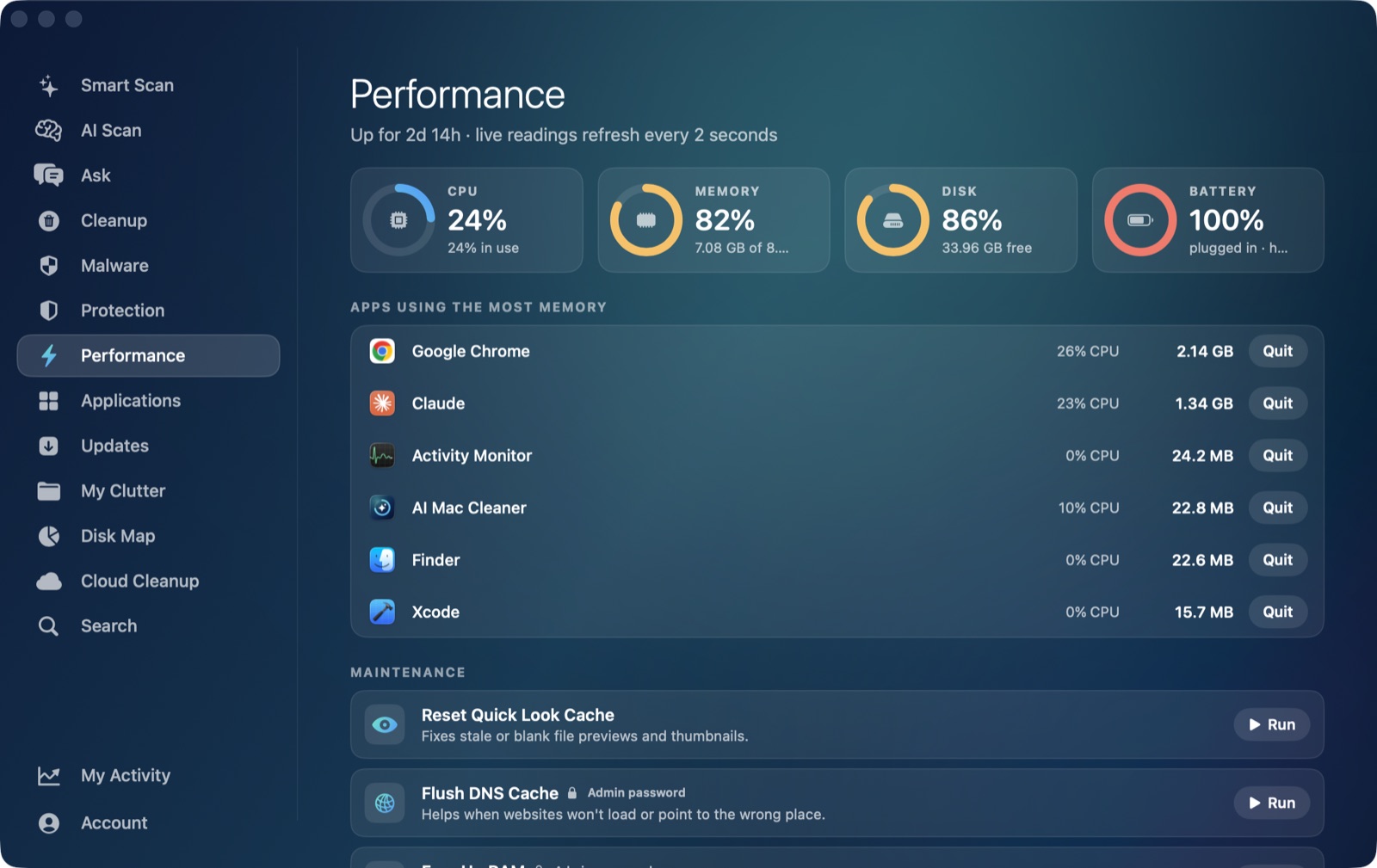
AI Mac Cleaner's Performance module shows cloudd in the same live, ranked CPU view as every other process competing for a core right now, so you can see whether it's genuinely settling or still climbing without reopening Activity Monitor. For the local-storage side of iCloud (rather than the CPU side), Cloud Cleanup shows how much of iCloud Drive and other cloud folders actually sits on your disk and can hand local copies back to iCloud — evicting them, never deleting them — if freeing disk space rather than diagnosing CPU is what you're actually after.
AI Mac Cleaner has a 7-day free trial with every feature unlocked and no card required, plans from $6.99/mo after. For other system processes with the same "don't kill it, here's what's normal" shape, see coreduetd high CPU on Mac and mdworker high CPU on Mac.
Frequently asked questions
Is cloudd a virus or spyware?
No — it's Apple's own system process for iCloud sync, present on every Mac with iCloud enabled. It's doing real sync work on your behalf, not something installed without your knowledge.
Why is cloudd still using CPU when I'm not actively using iCloud?
iCloud sync can run in the background for Notes, Reminders, Safari tabs, Keychain and other services even when you're not in the Finder window or an iCloud-backed app, so activity you're not directly watching can still keep cloudd busy.
Can I disable cloudd to stop it from using CPU?
Not directly and not safely — it's a core system daemon. Turning off a specific iCloud service (Photos, Drive, etc.) in System Settings reduces what cloudd has to do; there's no supported way to disable the process itself while keeping any iCloud feature on.
Will force-quitting cloudd free up CPU right away?
macOS restarts it immediately since it's a system daemon, so nothing is freed, and an in-progress upload or download may have to start over rather than simply pausing.
Does AI Mac Cleaner let me stop cloudd from running?
AI Mac Cleaner's Performance module shows cloudd in the live CPU view for visibility, and Cloud Cleanup covers the separate, related question of how much iCloud data is actually sitting on your local disk. What it won't do is stop cloudd itself — it's a system process, not an app or junk file, so there's nothing here to remove.