 AI Mac Cleaner
trustd High CPU on Mac: What It Is and What to Check
trustd is Apple's certificate and code-signing trust daemon — a brief spike is normal, but a report of it pegging 100% after heavy network activity is a known, documented pattern worth knowing about.
If trustd is sitting high in Activity Monitor, it's a core macOS system daemon, not something installed without your knowledge — and under normal conditions it uses a tiny fraction of a percent of CPU. A sustained spike is unusual enough to be worth understanding, though it's a documented pattern rather than a sign of malware.
What trustd actually does
trustd evaluates certificate trust and code-signing validity on macOS: it checks whether an app's code-signing certificate is legitimate before it runs, whether a TLS certificate presented by a server you're connecting to is trustworthy, and whether any of those certificates have since been revoked. Every secure network connection and every signed app launch can trigger a trust check that runs through it, which is why it's a background daemon rather than something with a settings panel of its own — there's no user-facing "trustd preferences," because it isn't something you configure directly.
When trustd high CPU is normal
A brief spike is expected around:
- The first time you launch a lot of apps after a restart or a long idle period — trustd evaluates each one's code-signing certificate, and Apple's own accounts of this behavior note it can get genuinely busy inspecting Keychains for obsolete or revoked certificates after time away.
- A burst of secure network connections — opening several apps or browser tabs that each establish new TLS sessions means more certificates to validate in a short window.
- Right after a macOS update, similar in shape to Spotlight's post-update reindex — trust-related caches can need to rebuild part of themselves.
In these cases it should settle within a minute or two once the burst of checks clears.
The documented 100% CPU pattern
Worth naming specifically, since it's the scenario that actually brings people to search for this: a widely cited 2021 technical report (independent researcher Jeff Johnson, writing on mjtsai.com) traced a case of trustd jumping from 0% to 100% CPU directly to nsurlsessiond — the system's networking daemon — connecting to valid.apple.com immediately beforehand. That's a specific, sourced pattern connecting a trust-related network check to the exact moment trustd spikes, not a guess. The report and discussion threads following it treat this as a real, reproducible quirk rather than a widespread ongoing bug, and it's not something Apple has published its own explanation for, so treat it as a documented community finding rather than an official diagnosis.
When it's worth a second look
If trustd stays pinned high for an extended stretch with no obvious trigger:
- Restart the Mac. trustd restarts cleanly and a restart clears whatever local trust-check state was stuck, with nothing to lose.
- Check for a pending macOS update. Outdated macOS versions show up disproportionately in reports of this kind of stuck daemon behavior; installing the latest update is a reasonable next step before anything more involved.
- Note how many apps or browser tabs you opened at once. If the spike lines up with launching several signed apps or a burst of new secure connections together, that's consistent with the normal pattern above, just a larger batch of it than usual.
More invasive community workarounds exist — like temporarily blocking valid.apple.com, or renaming trustd's validation-cache database file from Recovery Mode — but both are blunt enough, and specific enough to one reported scenario, that they're worth treating as a last resort rather than a first step, and not something to do without a backup in place first.
Don't force-quit it
trustd is a system daemon macOS restarts immediately if you force-quit it, so nothing is actually freed, and anything mid-validation (an app trying to launch, a connection trying to establish) has to redo that check once it restarts anyway.
Where AI Mac Cleaner fits in
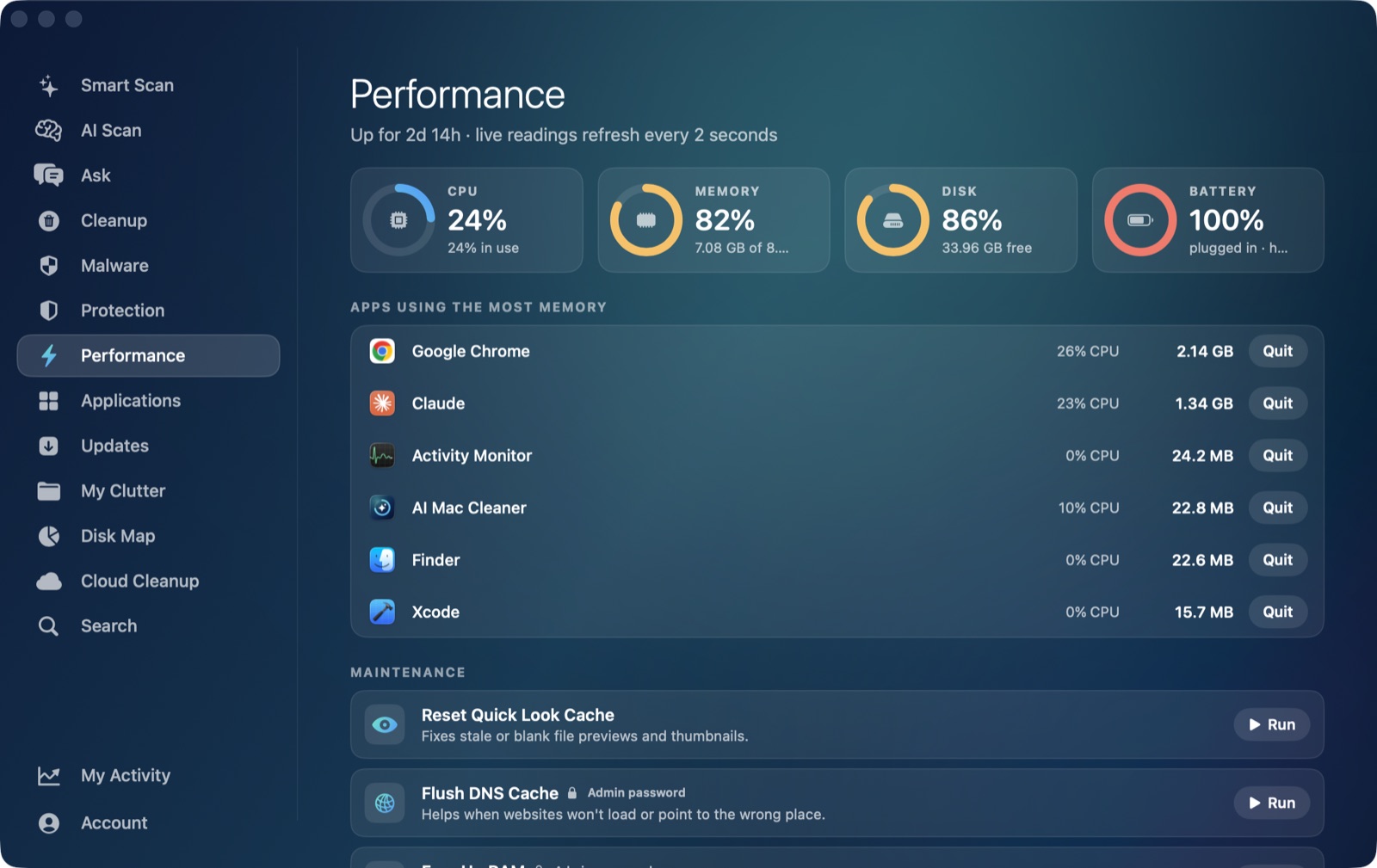
AI Mac Cleaner's Performance module gives you a live, overall CPU percentage for the whole Mac, which does reflect whatever trustd (or anything else) is doing system-wide at that moment. But its ranked heaviest apps list only shows regular, Dock-visible applications — built from macOS's own list of foreground apps, which by design excludes background system daemons like trustd. It's the same honest gap as the app's other by-process posts in this cluster: coreaudiod and cloudd aren't named in that list either, for the same reason.
Where the app does help is confirming whether your Mac's overall CPU use is actually elevated right now, and ruling out whether something else entirely — a heavy foreground app, not a background daemon — is the real cause of a Mac that feels sluggish.
AI Mac Cleaner has a 7-day free trial with every feature unlocked and no card required, plans from $6.99/mo after.
Frequently asked questions
Is trustd a virus or spyware?
No — it's Apple's own system daemon for certificate and code-signing trust evaluation, present on every Mac. It's doing legitimate validation work, not something installed without your knowledge.
Why did trustd jump to 100% CPU out of nowhere?
A documented 2021 technical report traced one such case to the system's networking daemon connecting to valid.apple.com immediately before the spike — a specific, sourced pattern rather than a general explanation for every occurrence. A restart or a pending macOS update are the first things worth checking either way.
Is it safe to force-quit trustd?
You can, but macOS restarts it immediately since it's a core system daemon, so nothing is freed — anything waiting on a trust check (an app launching, a connection opening) simply redoes that check once it restarts.
Does AI Mac Cleaner show trustd in its process list?
Not by name. Its Performance module's heaviest-apps list only ranks regular, Dock-visible foreground apps, the same scope as Activity Monitor's own "My Processes" filter would exclude it from — the module's overall CPU percentage does reflect trustd's activity as part of the system-wide total, but Activity Monitor is the tool for seeing it specifically by name.
Can I disable trustd to stop it using CPU?
AI Mac Cleaner's Performance module reflects trustd's share in the Mac's overall CPU reading, so you can confirm a spike is settling rather than guessing. There's no supported way to disable trustd itself, though — it's the daemon that verifies certificates for secure connections and signed apps, and turning it off would break exactly the security checks you rely on. The checks above target the actual cause of a spike instead of the process.