AI Mac Cleaner
Should an AI Agent Have Full Disk Access on Your Mac?
Apple is tightening Full Disk Access specifically because AI agents are asking for it. Here's a practical checklist for deciding which AI tools on your Mac actually need that permission.
Apple didn't just tweak a settings panel on 2 October 2026 — it named the reason out loud. Its Developer News post on Full Disk Access says the risk of that permission is "increasing" specifically because AI agents are becoming "more capable and autonomous." That's a different problem from "should I grant Full Disk Access to my backup tool," and it deserves a different checklist. If an AI assistant, chatbot or "smart" utility on your Mac has asked for Full Disk Access, here's how to actually decide, rather than click Allow because the onboarding screen asked nicely.
What Apple actually said, and why AI specifically
Apple's notice describes Full Disk Access as a permission that "largely bypasses" the protections that normally wall off Mail, Messages, Safari data, Time Machine backups and other apps' sandboxed containers. The concern it raised is that "some developers use this entitlement in ways that could put users at risk," without users fully understanding what they'd handed over. The planned fix is friction: granting the permission will require "very explicit user action," though Apple gave no date or macOS version (9to5Mac).
The AI framing is the new part. Coverage of the announcement has tied it to always-on assistants — specifically Meta's "Muse" and OpenAI's "Dots" — as examples of the kind of agent that asks for broad, standing access to personal data rather than a one-time file pick (Unite.AI). Apple named no company directly, and Meta has disputed the characterization of Muse — but the underlying pattern Apple is responding to is real regardless of which specific product triggered it: an agent that can act autonomously is also an agent that, if it's been handed Full Disk Access, can read or move anything in your account without a human double-checking each step.
That's genuinely different from the mechanics of the permission itself, which we've covered separately — this post is about the judgment call specific to AI tools, not the policy change on its own.
A real checklist for any AI app that asks for Full Disk Access
Before granting it to an AI assistant, chatbot, or "smart" cleaner/organizer, ask:
- Does it explain why in its own words, before you grant anything? A one-line "this makes the app work better" is not an explanation. A tool that genuinely needs to read Mail attachments or Safari history for a specific feature should say which feature, specifically.
- Does it work at all without the permission? If an app refuses to function — not just a specific feature, but the whole thing — until you grant blanket access to your account, that's a design choice, not a technical requirement for most tasks.
- Where does the data go once it's read? An agent that's "autonomous" by design is often also cloud-connected by design, since on-device models are smaller and slower than hosted ones. Ask specifically whether what it reads under Full Disk Access ever leaves your Mac, and whether that's stated plainly or buried in a privacy policy.
- Can you tell what it actually did? An agent that acts on your behalf — moving files, replying to messages, deleting things — should leave a visible, reviewable trail. "Trust me" is not an audit log.
- Is the permission reversible without breaking everything? Try revoking it later (System Settings › Privacy & Security › Full Disk Access) and see what actually stops working. If core functionality dies rather than one narrow feature, the app was more dependent on blanket access than it needed to be.
How AI Mac Cleaner answers its own checklist
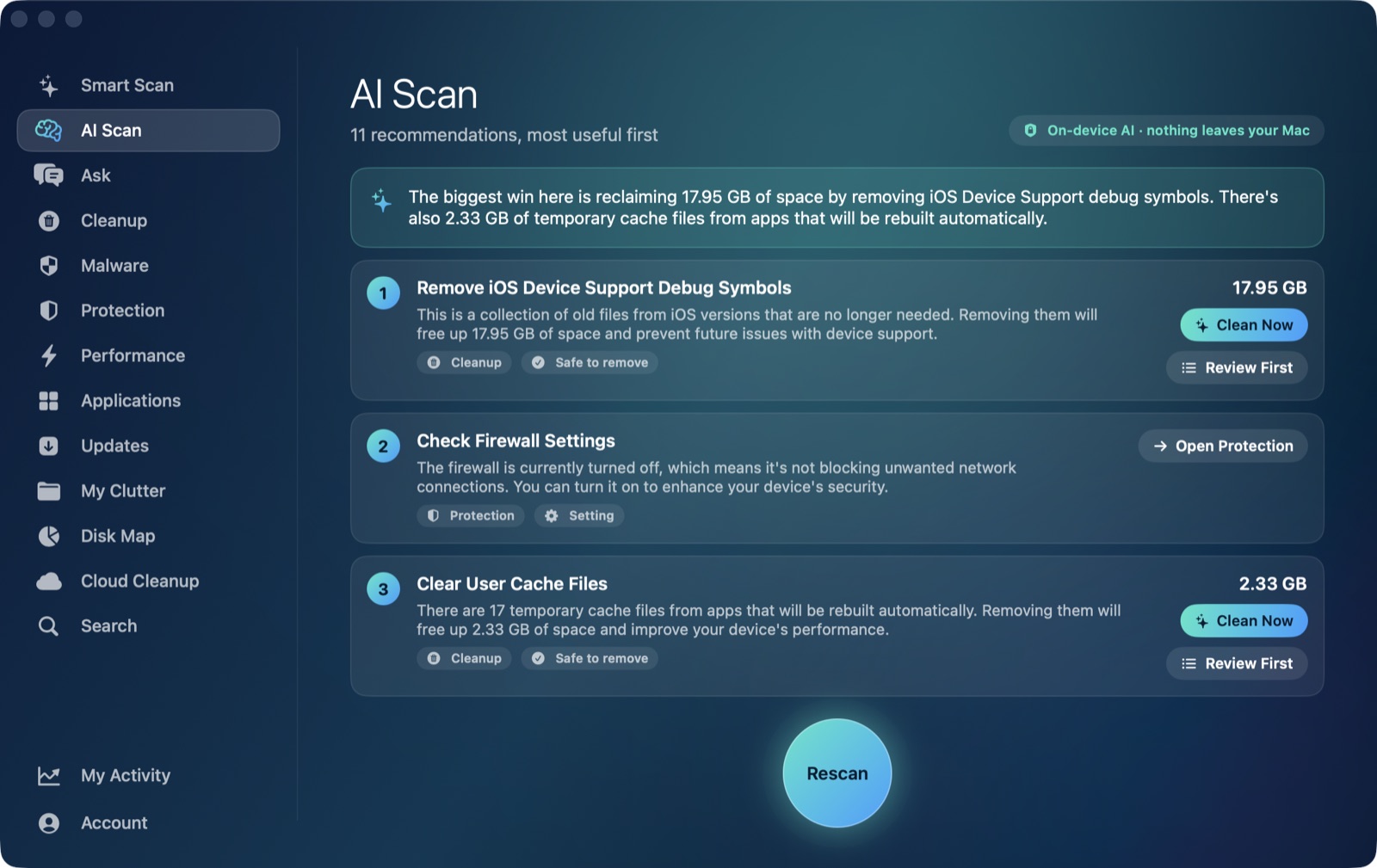
We build an AI-labelled feature into this app — AI Scan — so it's fair to hold it to the same five questions. The scans themselves (caches, logs, developer junk, large files, duplicates, app leftovers) run with your normal user permissions; Full Disk Access is optional and only extends the Protection screen's visibility into Safari data and some app containers, shown behind a small "Limited access" note in the sidebar rather than a blocking onboarding screen. AI Scan's explanations run on Apple's own on-device FoundationModels — nothing about what it finds is sent anywhere, and when Apple Intelligence isn't available, it falls back to a rule-based summary that's labelled as exactly that, not passed off as AI. Rules decide what's safe to offer for removal; the model only writes the plain-language explanation. And nothing an AI Scan or Ask response proposes gets removed without you confirming it — every deletion still goes through the Trash-first path we cover here, the same as every other part of the app.
None of that makes the app immune to Apple's new scrutiny of "an app wants Full Disk Access" plus "AI" appearing together — that pairing is now something Apple is actively training users to notice. It's exactly why the answer to "why do you want this" has to be specific and checkable, for us and for anything else asking.
Frequently asked questions
Does AI Mac Cleaner need Full Disk Access to work?
No. Core scanning and cleaning work with your normal user permissions from the first launch. Full Disk Access is optional and only adds visibility into Safari data and some app containers on the Protection screen.
What's actually different about this post versus your other Full Disk Access article?
The other post explains what the permission does and what Apple's policy change means mechanically. This one is specifically about vetting AI agents and assistants — a narrower, judgment-based question Apple itself called out by name.
Is it true Apple is targeting a specific AI company?
Apple's own notice names no company. Coverage has connected the move to a dispute over Meta's "Muse" assistant requesting broad Messages access; Meta disputes that characterization, and other coverage also cites OpenAI's "Dots" as an example of the same autonomous-agent pattern Apple is responding to.
Should I revoke Full Disk Access from AI apps I already granted it to?
Run them through the five-question checklist above first. If an app can't explain specifically what it needs the permission for, or stops working entirely without a clear reason tied to a specific feature, revoking it (System Settings › Privacy & Security › Full Disk Access) is a reasonable default until it can answer.
Does on-device AI avoid this risk entirely?
It removes one specific risk — data leaving your Mac — but not the Full Disk Access question itself. An on-device model can still be wired up to read everything the permission exposes; "on-device" describes where the explanation is written, not what the app is allowed to see. Both questions are worth asking separately.