 AI Mac Cleaner
diskimagesiod High CPU on Mac: What It Is and How to Fix It
diskimagesiod high CPU on a Mac points to disk image or APFS-sparsebundle activity — a mount, a Time Machine backup, or a stuck image. Here's how to tell which.
diskimagesiod high CPU on a Mac is one of the less commonly recognized process names, but the explanation is fairly narrow: it's the system daemon behind mounting, unmounting and managing disk images — .dmg files, encrypted sparsebundles, and the virtual disk images Time Machine and some backup tools use. If it's busy, something involving a disk image is genuinely happening.
What diskimagesiod actually does
diskimagesiod handles the work behind mounting and unmounting disk image files: verifying a .dmg's checksum, decrypting an encrypted image, or managing the sparsebundle format that network and local Time Machine backups use internally. Every time you double-click a downloaded installer's .dmg, mount an encrypted disk image, or a backup process touches its own image-based storage, diskimagesiod is the process doing that work behind the scenes.
When diskimagesiod high CPU is normal
Expect a spike, usually proportional to the size of the image involved, around:
- Mounting a downloaded
.dmg— especially a large app installer, since macOS verifies the image before letting you open it. - Mounting or unmounting an encrypted disk image, which adds decryption work on top of the mount itself.
- Time Machine backing up to a network destination or an APFS sparsebundle, since that backup format is itself a kind of disk image diskimagesiod helps manage.
- Ejecting a disk image, which does its own cleanup pass before the unmount completes.
In all of these, usage should drop back to near-zero within seconds to a couple of minutes, roughly matching how large the image or backup involved is.
When it's worth a second look
The pattern worth investigating is diskimagesiod staying busy with no disk image you're aware of being mounted, unmounted or backed up — usually meaning either a stuck mount/unmount operation, or a Time Machine backup to a sparsebundle destination that's hung partway through. The checks worth doing, roughly in order:
- Check Finder's sidebar and Disk Utility for a mounted image. An encrypted
.dmgor sparsebundle that's mounted but not obviously visible (no window open) can still be actively doing something, especially if something else has a file open inside it. - Check Time Machine's status. System Settings → General → Time Machine, or the menu bar icon if you've enabled it — a backup stuck mid-progress to a network or sparsebundle destination is a common cause, especially over a flaky network connection.
- Try ejecting any disk image you recognize, cleanly, from Finder rather than force-quitting the process that opened it. A clean eject lets diskimagesiod finish whatever it's doing instead of leaving it in a half-finished state.
- Restart your Mac if nothing above resolves it. Since diskimagesiod is a background daemon with no interface, a restart clears any stuck mount/unmount state cleanly.
Don't force-eject or force-quit mid-operation
If diskimagesiod is actively working through a mount, unmount, or a Time Machine backup to a sparsebundle, force-quitting it or yanking a drive mid-operation risks leaving that disk image in a corrupted state — the kind of thing that can turn "my backup is slow" into "my backup destination needs to be rebuilt from scratch." Let an in-progress operation finish or fail on its own before intervening forcefully.
Where AI Mac Cleaner fits in
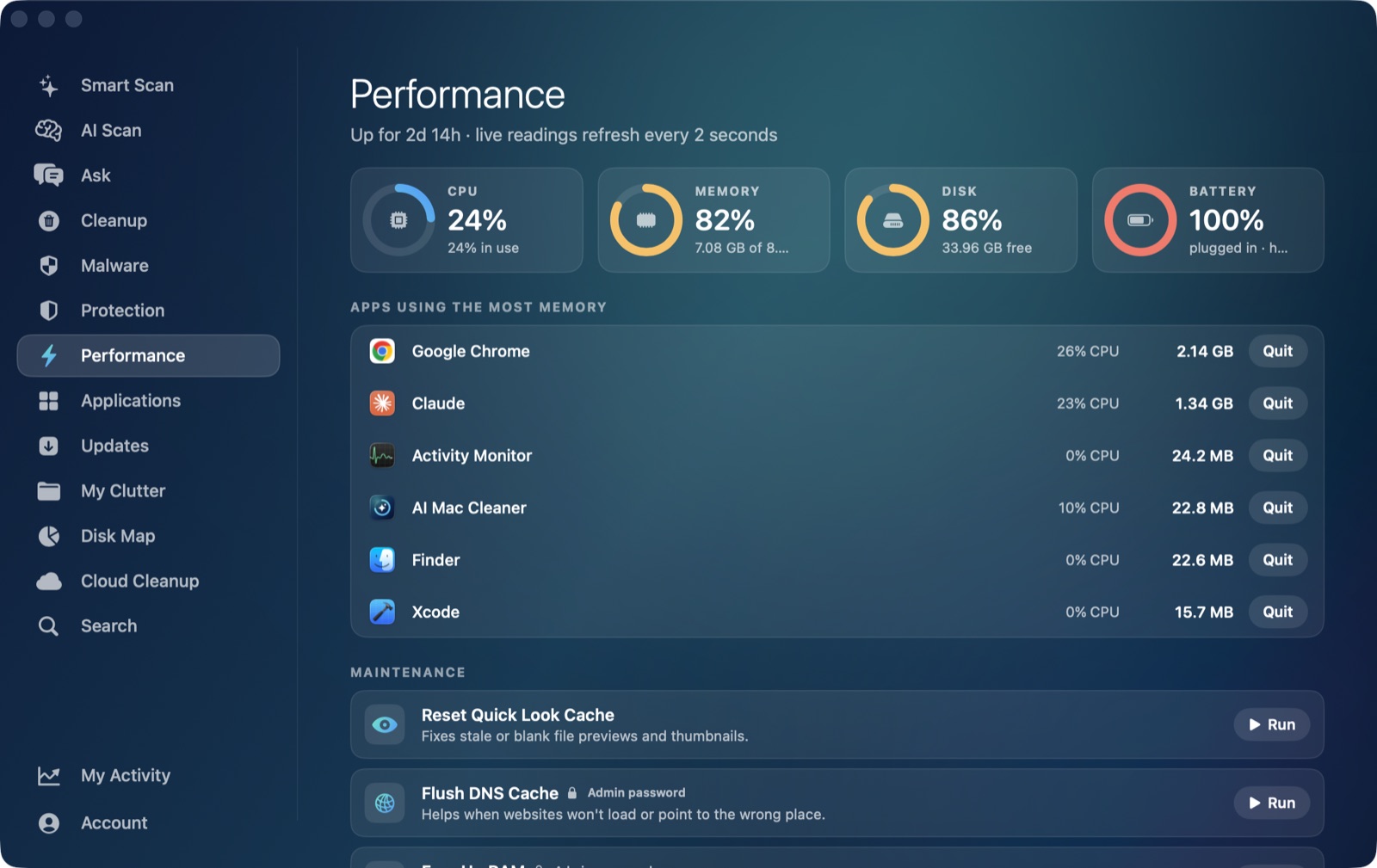
AI Mac Cleaner's Performance module shows diskimagesiod in the same live, ranked CPU view as mds_stores and every other process competing for a core right now, so you can confirm whether it's actually the top consumer or just one of several processes active during, say, a Time Machine backup — useful context before deciding whether to wait it out or investigate further. It isn't a process the app would ever offer to remove or disable; it's core macOS disk-image infrastructure, not junk, so the honest answer here is visibility, not a cleanup action.
AI Mac Cleaner has a 7-day free trial with every feature unlocked and no card required, plans from $6.99/mo after.
Frequently asked questions
Is diskimagesiod a virus or spyware?
No — it's Apple's own system daemon for mounting and managing disk images (.dmg files, encrypted images, and the sparsebundle format Time Machine uses). It isn't something installed on you or a third-party tracker.
Why does diskimagesiod spike when I open a downloaded installer?
Opening a .dmg triggers a checksum verification and mount, which is real work proportional to the image's size — larger installers cause a longer, more visible spike.
Can Time Machine cause diskimagesiod to use high CPU?
Yes, if your backup destination is a network drive or uses the sparsebundle disk-image format — the backup process itself relies on diskimagesiod to manage that image, so a large or slow backup shows up as diskimagesiod activity.
Can I force-quit diskimagesiod to stop the CPU usage?
You can, but macOS relaunches it quickly since other processes depend on it, and if it was mid-mount, mid-unmount, or mid-backup when you killed it, that operation can be left in a corrupted or incomplete state rather than simply stopped.
Does AI Mac Cleaner let me disable or remove diskimagesiod?
No, and it shouldn't — it's core macOS disk-image infrastructure, not an app or junk file. AI Mac Cleaner's Performance module shows it in the live CPU view alongside every other process so you can judge whether it lines up with something you recognize, like a backup or a mount, before deciding to investigate further.